From garment to professional photoshoot in 4 steps
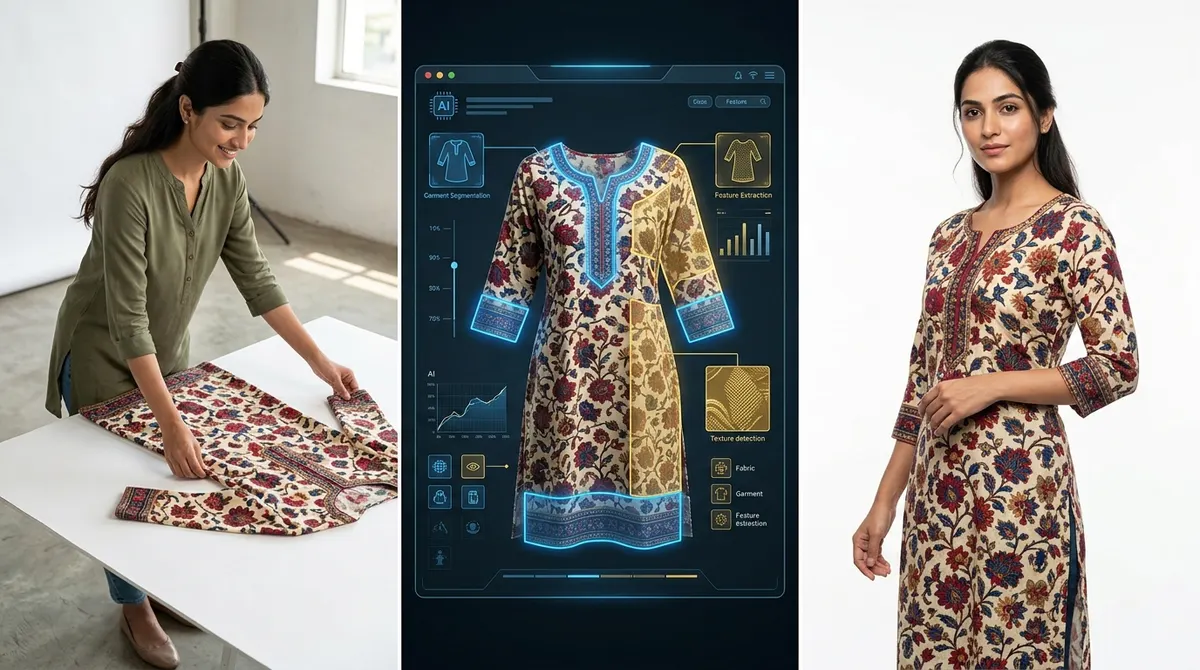
You upload a garment photo. ShotRoom handles the creative direction, pose selection, lighting specification, and final generation. You approve what you want and receive marketplace-ready images — no photography expertise required.
Your first shoot, for just ₹199
Sign up and get 60 free credits to try ShotRoom — no card needed. Then unlock our exclusive Mini pack (100 credits for ₹199) on your first purchase.
Available on first purchase only · One-time offer · New accounts only
Free to sign up · 30 seconds
From upload to photoshoot in 4 steps
Upload Your Garment
Take a photo of your garment — a clear front shot is all you need to start. Add back shots, texture close-ups, or accessory references if you have them. ShotRoom works with whatever you provide.
AI Plans Your Shoot
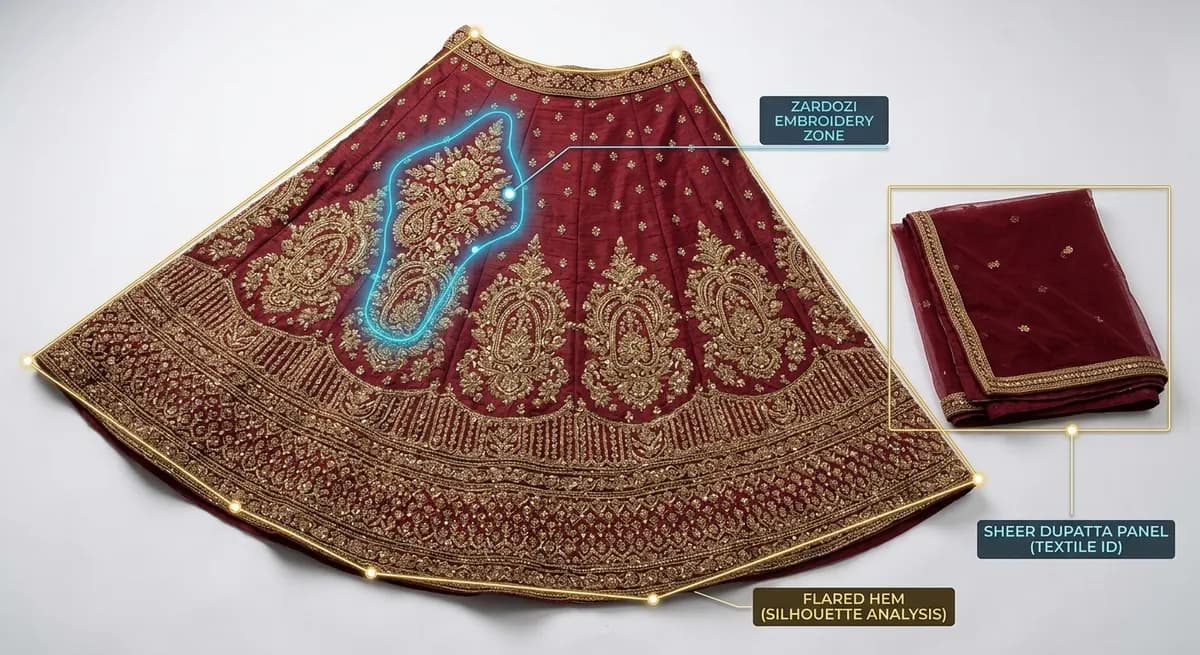
ShotRoom analyzes your garment's fabric, structure, and details. It detects embroidery zones, identifies flare and draping behavior, reads structural features like slits and sheer panels — then selects poses designed to showcase each one.
Preview Before You Pay
See your garment on matte mannequin silhouettes across every proposed pose. These previews are free — no credits spent. Select the shots you want to generate and remove the ones you don't.
Get Your Photoshoot
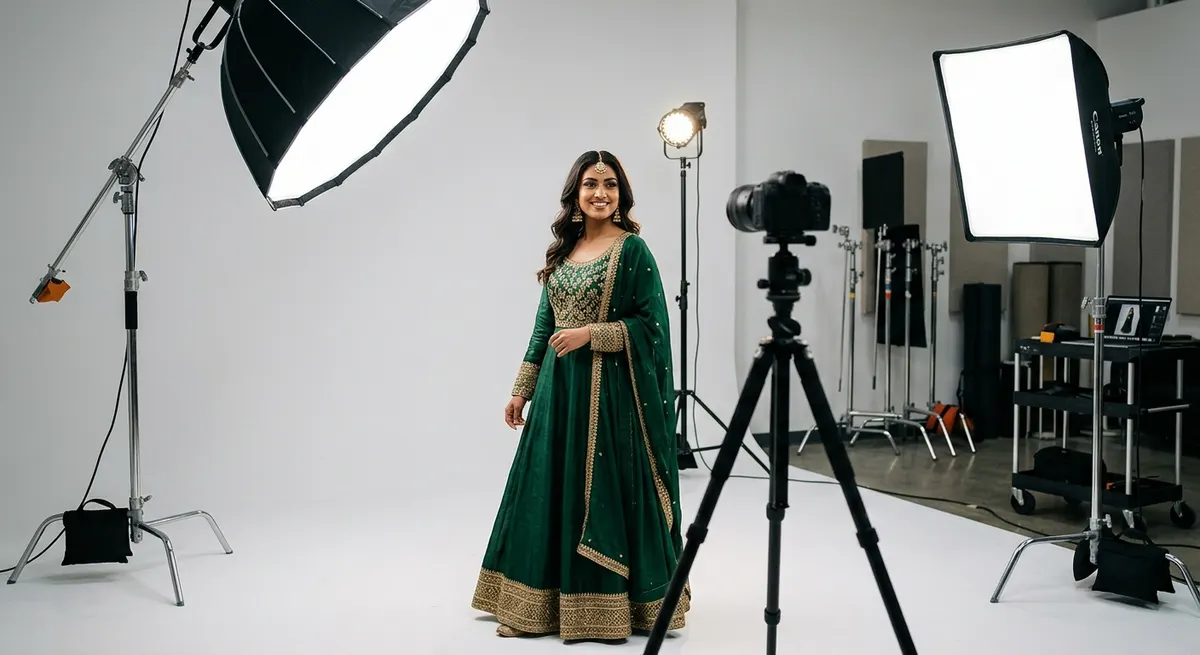
Final images are generated at professional studio specs: Canon EOS R5 equivalent, 85mm lens, three-point lighting. You receive full outfit editorial shots, individual component displays, and macro detail close-ups — all in one session.
What the AI is doing behind the scenes
AI that understands what it's looking at
Most AI tools generate images that look vaguely like your input. ShotRoom starts with structured analysis: garment type classification, fabric weight detection, structural feature identification (slits, flare, sheer panels, asymmetric hems), and embroidery zone mapping. The result is a creative brief that drives everything downstream — pose selection, lighting direction, accessory pairing, and the final image spec.
Three categories of output in every session
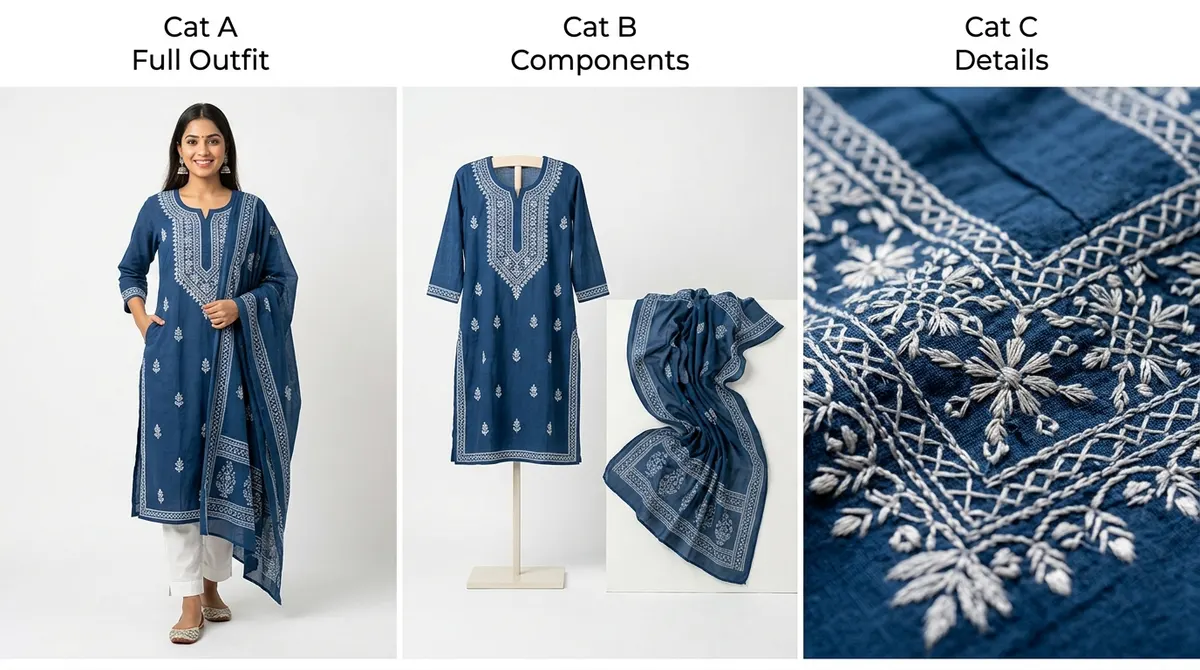
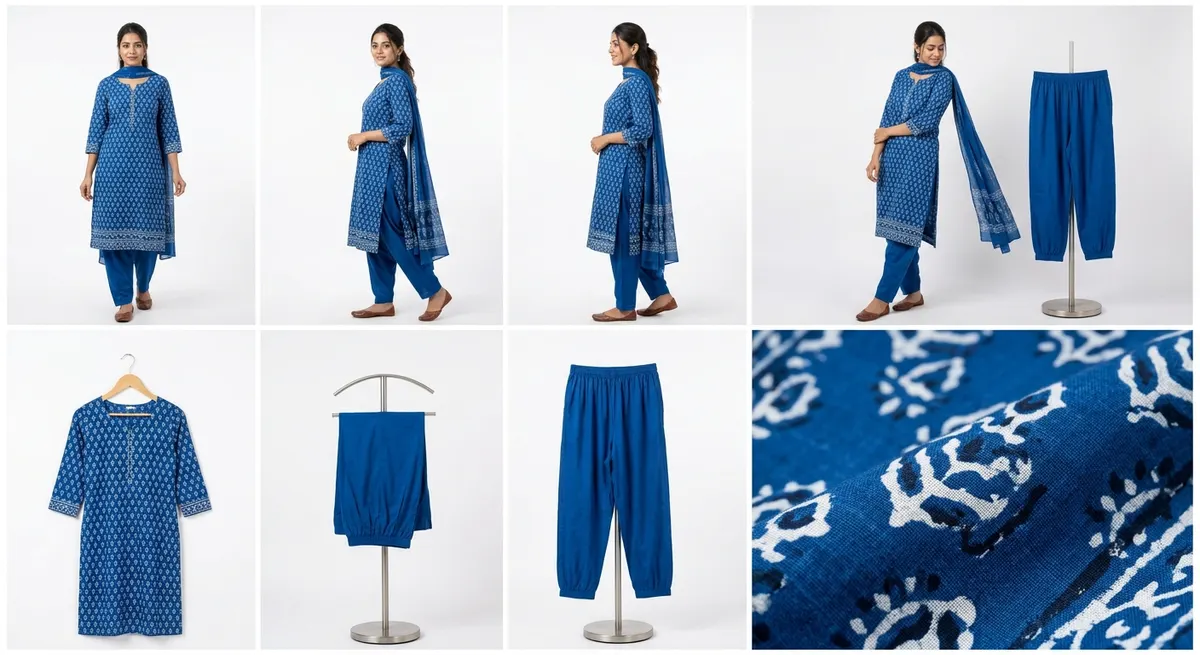
A professional fashion photoshoot covers multiple angles and scales — you need full outfit hero shots, individual garment component displays, and detail close-ups of signature features. ShotRoom delivers all three automatically. Cat A images show the complete outfit on model. Cat B isolates each component (blouse, skirt, dupatta) separately. Cat C generates macro close-ups of embroidery, texture, or construction detail — the images that convert browsers into buyers.
Professional photography specs, not general AI quality
ShotRoom doesn't generate arbitrary AI images — it generates images to a specific professional photography brief: Canon EOS R5 sensor spec, 85mm portrait lens for flattering compression, three-point lighting (key, fill, back) for studio depth, and white or environment-matched backgrounds. The creative direction is baked in so you don't need photography knowledge to produce images that look like you hired a specialist.
No photography skills needed
The AI handles every creative decision — pose selection, lighting setup, background choice, and final composition. You review and approve; the system does the work.
No studio or equipment costs
Studio rentals, lighting rigs, backdrops, and camera equipment represent significant overhead per shoot. ShotRoom eliminates all of it — the only cost is per-image credits starting at ₹25.
No model coordination overhead
Model booking, casting, fittings, travel, and session logistics add time and cost to every traditional photoshoot. ShotRoom uses professionally rendered virtual models with consistent quality.
Consistent results every session
Traditional photoshoots vary in quality based on lighting conditions, model availability, and photographer interpretation. ShotRoom produces the same quality benchmark on every session, every time.
Scalable across your catalog
Run multiple sessions simultaneously. Process a new collection of 30 garments in a single afternoon. Scale catalog photography with your business without scaling headcount.
Iterative refinement with protection
If the initial output doesn't match your vision, refine your selections and regenerate. Credit protection means you're never locked into results you didn't approve — every session builds on your feedback.
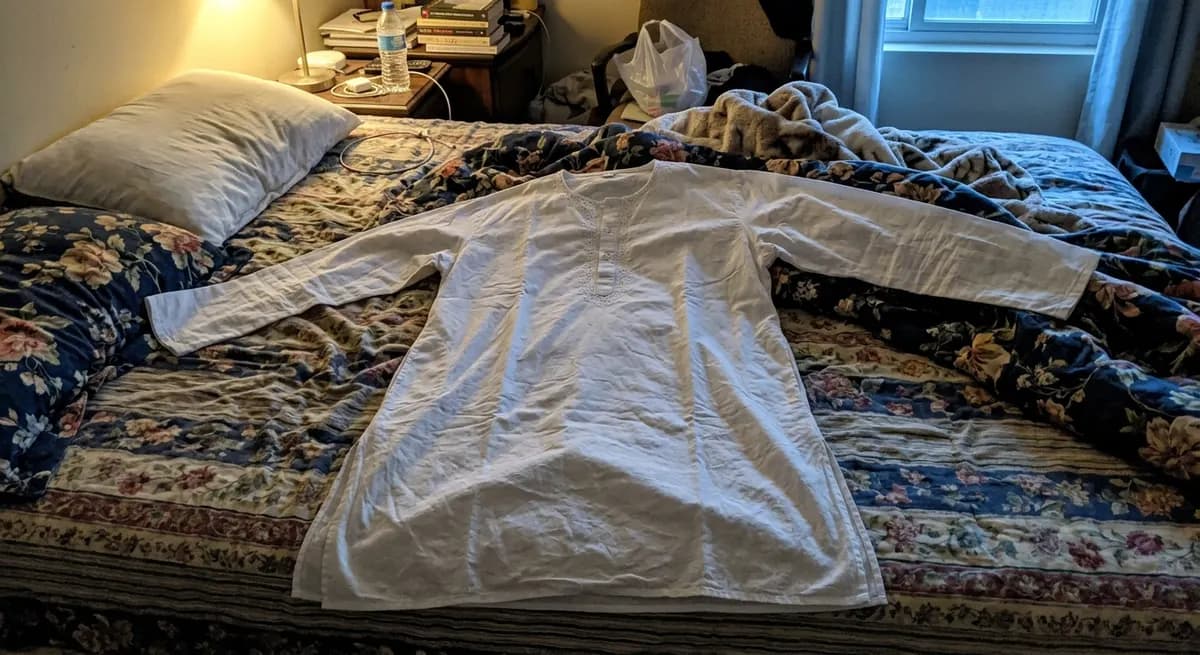 Before: DIY listing photo
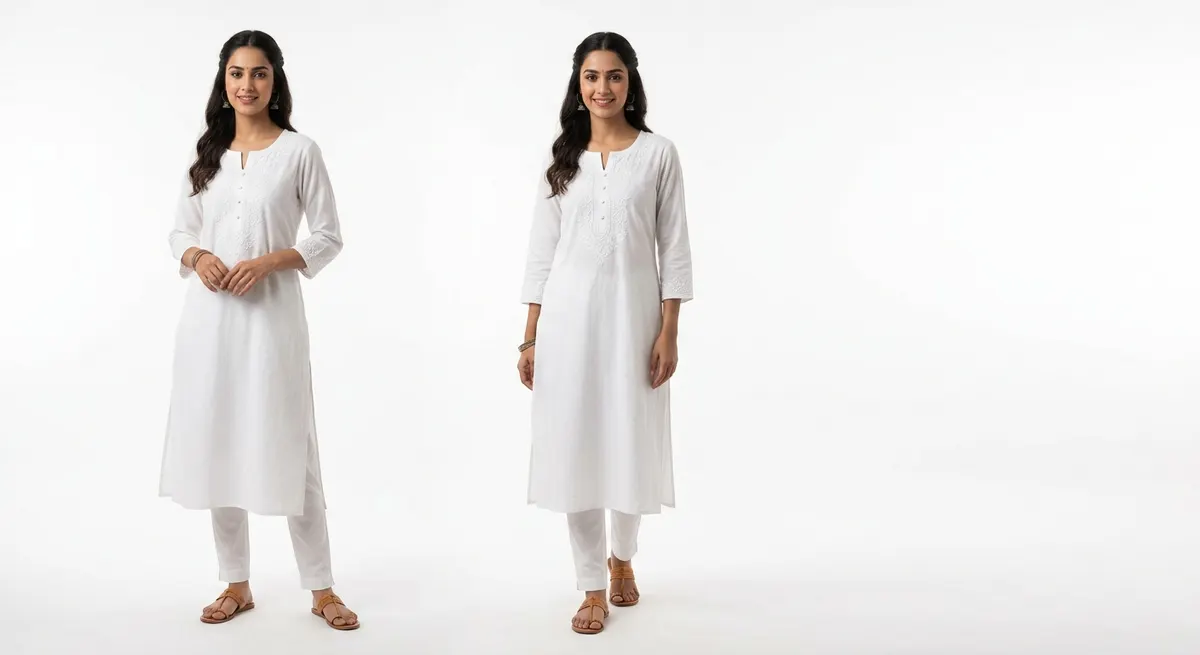 After: ShotRoom session
The same garment. One quick upload and four approved steps — the result is a complete professional photoshoot ready for any marketplace.
What you receive after Step 4
A complete ShotRoom session delivers a full professional photoshoot — not just one or two images. You get editorial full-outfit shots on model, individual component displays for each garment piece, and macro close-ups of embroidery or texture. Every image is generated at professional studio specifications and ready for direct marketplace upload.
- →Cat A: 4-6 full outfit editorial shots with varied poses and environments
- →Cat B: Individual component displays — every separate garment piece photographed alone
- →Cat C: 1-4 macro detail close-ups of embroidery, texture, and construction features
Frequently Asked Questions
How does ShotRoom create professional photos from a garment image?
ShotRoom uses an 8-step AI pipeline that mirrors the decision-making process of a professional fashion photographer. The AI performs structured garment analysis to understand fabric, construction, and detail, then generates pose previews for your approval, synthesizes a complete photography brief, and produces final images at professional camera specifications. The pipeline is designed specifically for Indian fashion — it understands garment taxonomy, fabric behavior, and the image requirements of major Indian marketplaces. You participate at two approval gates: pose selection and final output review.
Do I need photography experience to use ShotRoom?
No photography experience is required. ShotRoom handles every creative decision that a fashion photographer would normally make — selecting poses that flatter the garment, choosing lighting setups that reveal texture and construction, specifying camera settings for the right compression and depth, and generating detail shots of the features that matter most. Your role is to upload your garment, review the AI's pose suggestions, approve the ones you want, and download your final images. The system is designed to be used by sellers, not photographers.
How long does the process take from upload to final photos?
A complete ShotRoom session — from upload to downloadable final images — takes between 5 and 15 minutes depending on the number of pose selections and image categories. The garment analysis takes under 60 seconds. Mannequin pose previews generate in 2-3 minutes. Final image generation varies by session size. Compare this to traditional fashion photography: 2-4 days of scheduling lead time, 4-8 hours on set, and 1-3 days of post-production retouching. For sellers who need to update catalog imagery frequently, the time savings alone justify the switch.
What types of photos does ShotRoom generate?
Every ShotRoom session produces three categories of output. Category A (Full Outfit) shots show the complete styled outfit on model — the hero listing image and alternate angle shots. Category B (Component Display) shots isolate each garment piece individually — blouse and skirt photographed separately, dupatta shown on its own, jacket detailed without trousers. Category C (Macro Details) shots are close-up crops of embroidery zones, fabric texture, or construction details — the images that demonstrate quality and craftsmanship to potential buyers. Most sessions produce 12-20 final images across these three categories.
Can I preview results before paying?
Yes — this is a core ShotRoom design principle. Before any final images are generated and before credits are deducted, ShotRoom renders your garment on matte mannequin silhouettes across all suggested poses. These previews are generated at no cost and let you select which poses to proceed with. You only spend credits on poses you've explicitly approved after seeing them. This preview-first approach means you can confidently commit to a full photoshoot session knowing exactly what the final images will look like.
What if I don't like the results?
ShotRoom has an iterative refinement system built into every session. If the initial generation doesn't match your vision, you can adjust your configuration — change the background environment, refine the pose selection, add additional reference images — and regenerate. The credit-protected system means your investment is never wasted on unusable output. For cases where the AI's interpretation consistently misses something specific about your garment, the support team can review your session and suggest configuration improvements. Most satisfaction issues are resolved within one or two refinement cycles.
Ready to see it work on your garments?
Upload your first garment and see the AI analysis, pose previews, and professional output for yourself.