Skip the studio. Keep the quality.
ShotRoom replaces your entire studio photoshoot — photographer, model, lighting rig, and location — with an AI creative director that plans and executes a professional fashion catalog from a single garment upload.
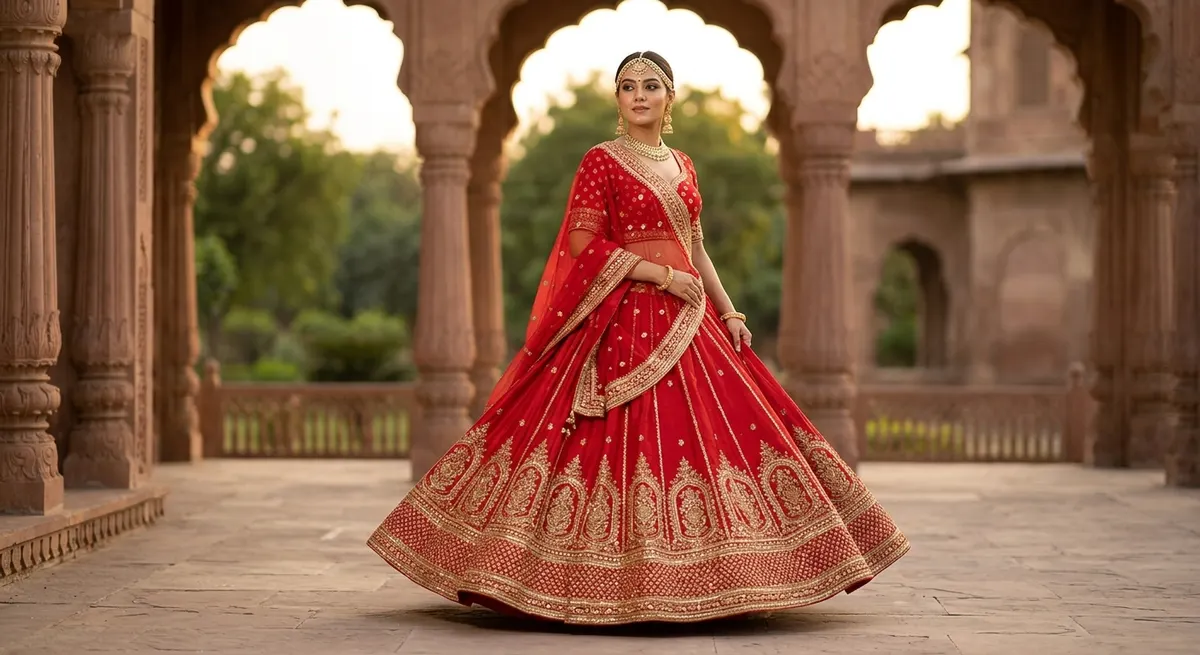
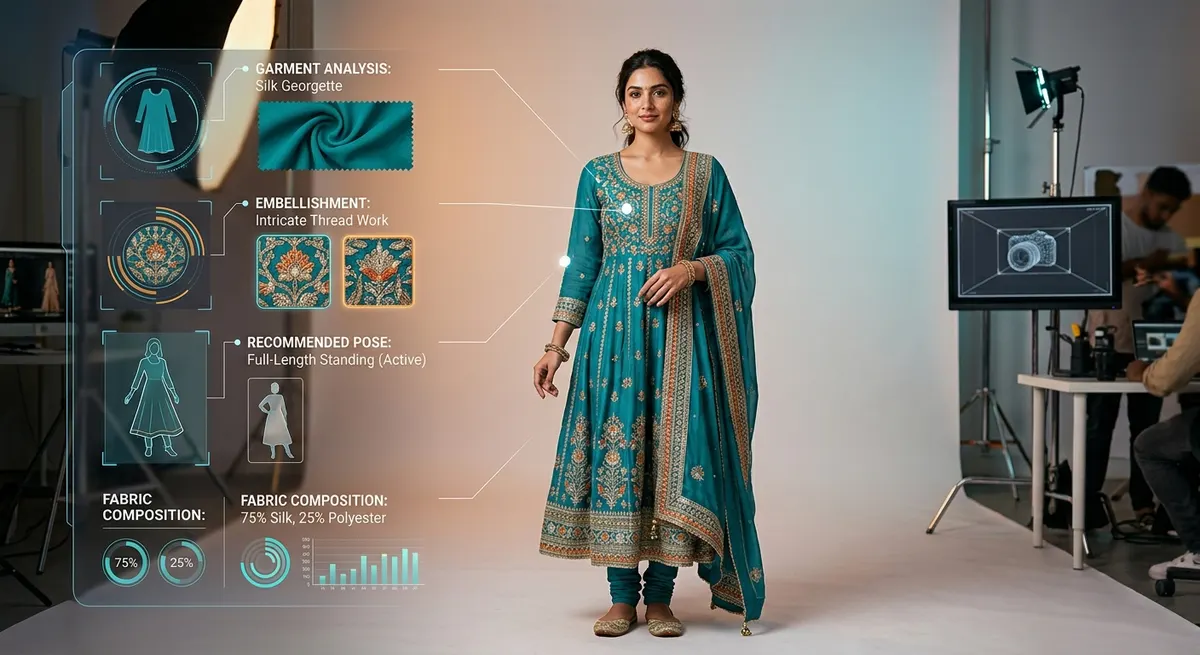
The AI plans your entire photoshoot
Before a single image is generated, ShotRoom's AI examines your garment in detail — fabric weight and texture, embellishments, structural features like flare or asymmetric hems, garment category and cultural context. It selects poses that showcase what this specific garment is designed to do: a heavy bridal lehenga gets a walking pose that reveals the hem; a sheer kurta gets backlit framing that shows the overlay. The creative decisions that a photographer would make over years of experience happen automatically and correctly.
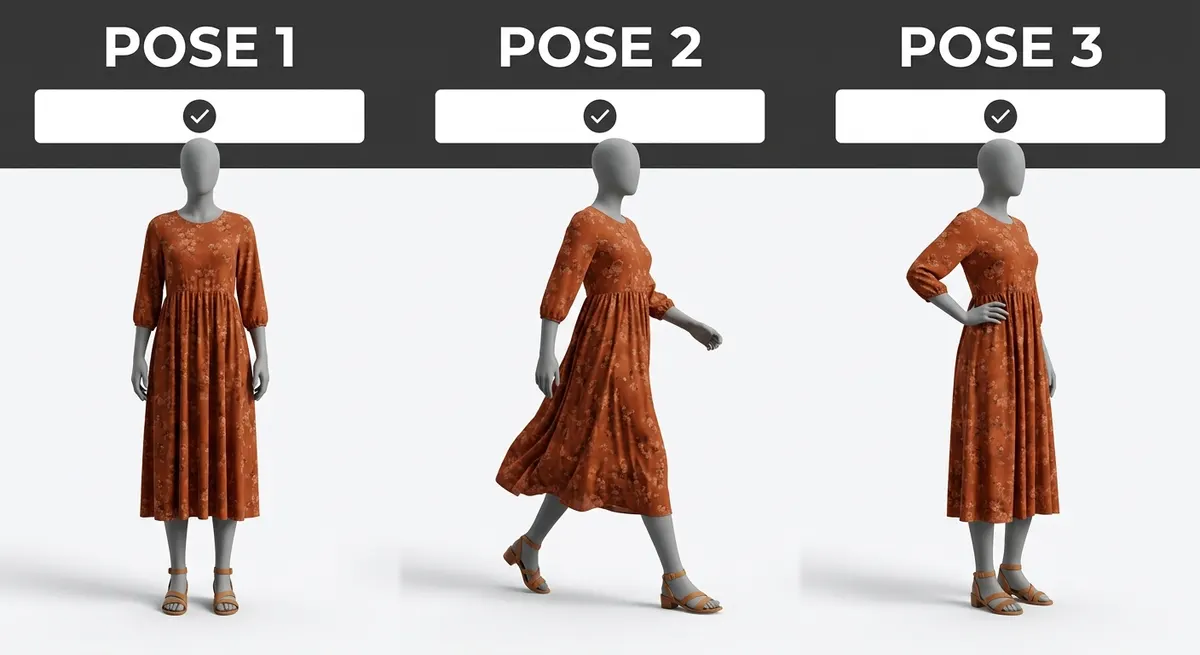
Validate before you generate — no wasted credits
ShotRoom is the only AI photography tool that shows you matte mannequin silhouette previews of every planned pose before you commit credits to generation. You see the exact camera angle, pose, and drape — on a featureless mannequin that makes the garment shape unmistakable. Adjust the lineup, swap poses that don't work, confirm the ones that do. When you approve the shoot plan, you know exactly what you'll receive.
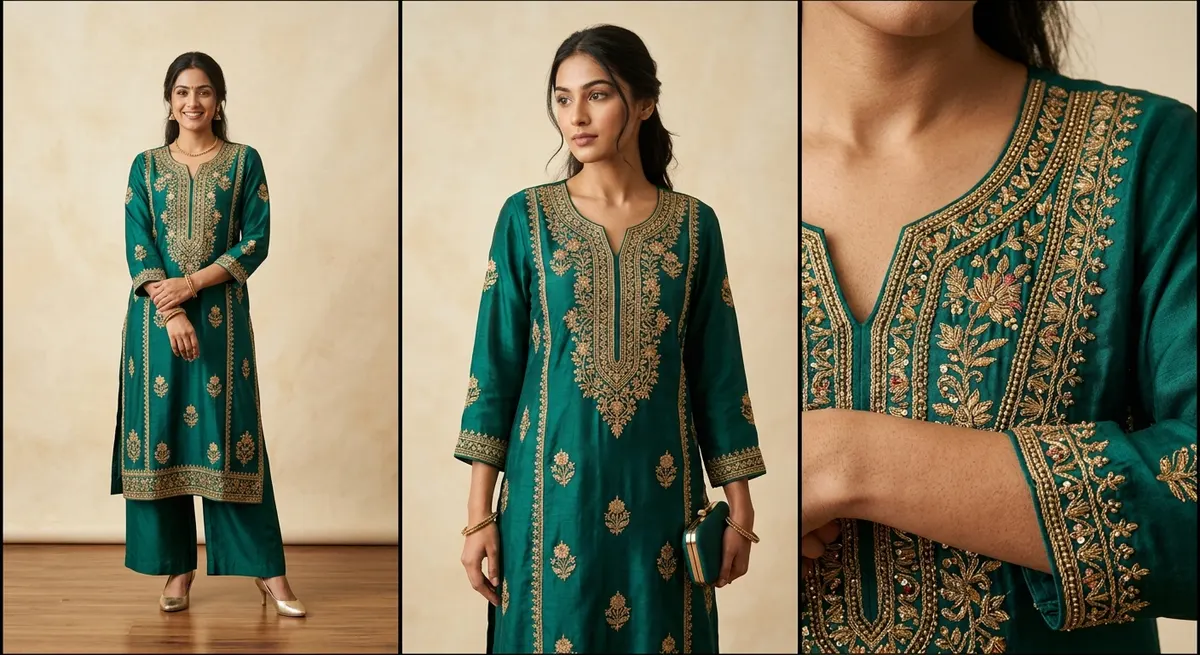
Three image categories. One photoshoot.
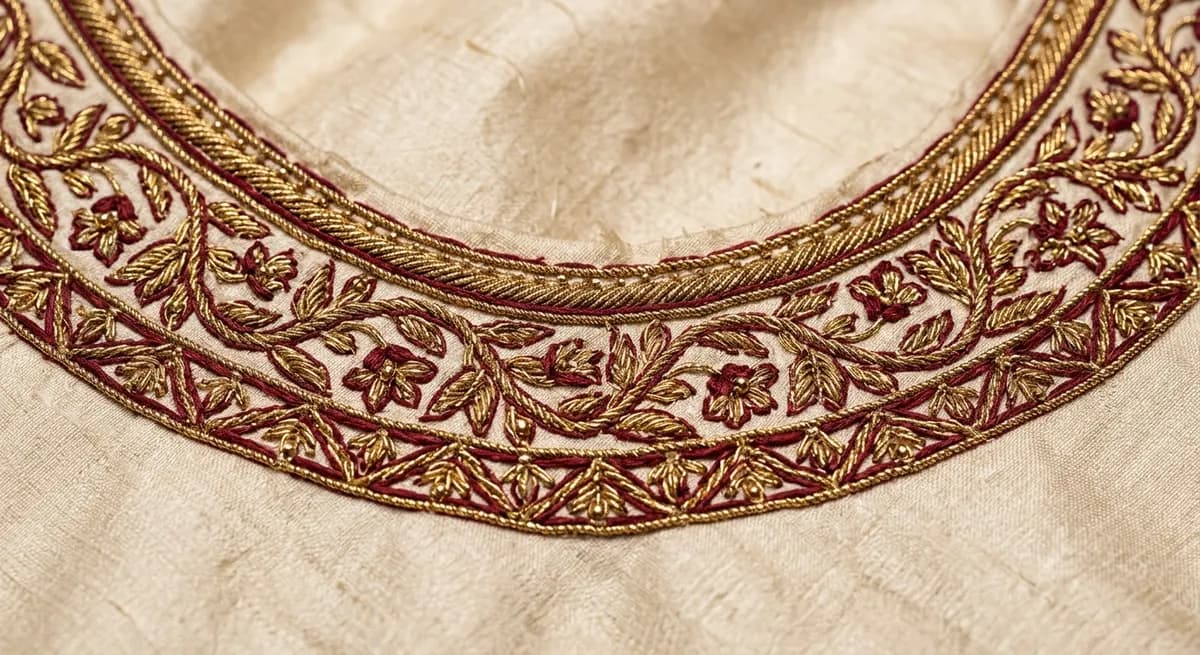
Professional fashion photography doesn't stop at front-and-back model shots. Buyers need to see every component separately, and they need proof of craftsmanship in the embellishments. ShotRoom's three-category output mirrors this: Category A covers full-outfit poses with all components worn together. Category B photographs each piece individually — kurta, dupatta, bottom — so buyers understand what they're getting. Category C delivers macro close-ups of embroidery, fabric weave, and embellishments so quality is undeniable. This is what studio photography agencies charge ₹15,000–₹30,000 per garment to produce.
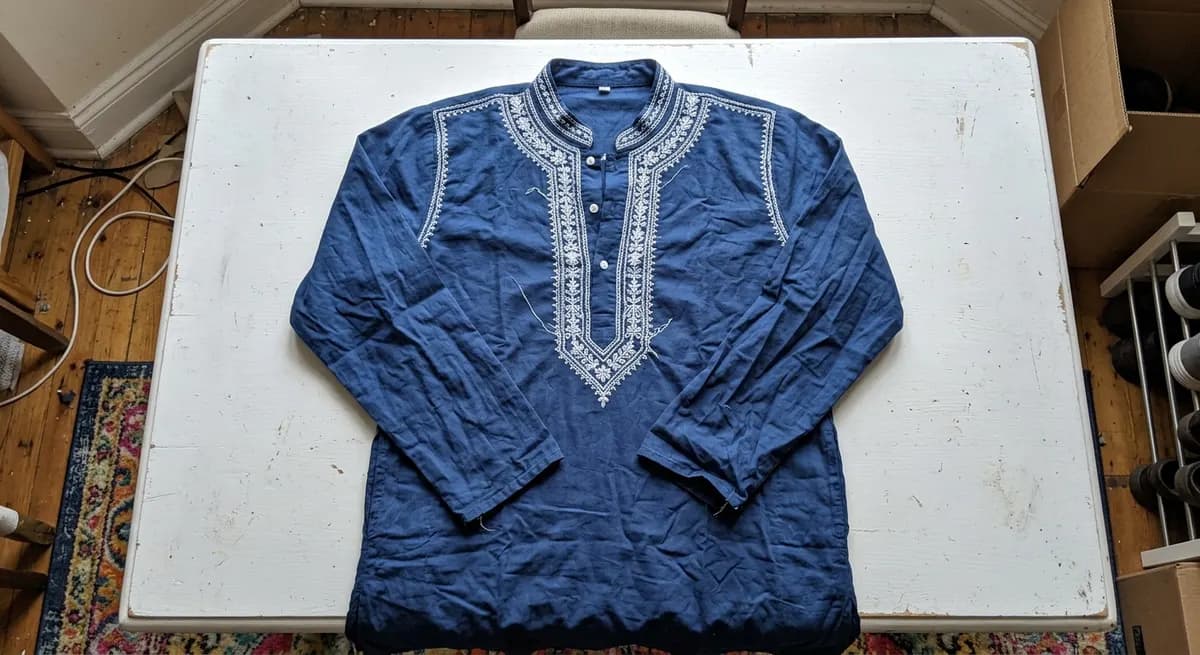 Traditional Studio Shoot
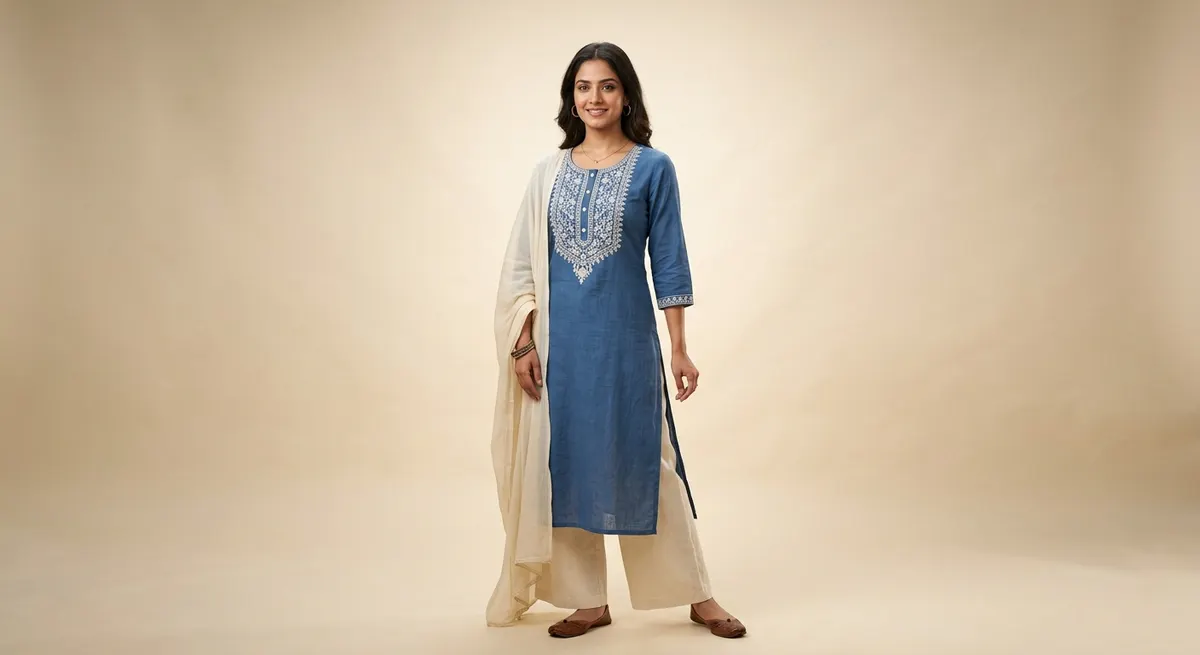 ShotRoom Virtual Photoshoot
Same professional quality. A fraction of the cost. No studio booking, no model fees, no lighting equipment required.
From garment to catalog in five steps
Upload Your Garment
Photograph your garment on any plain background with your phone and upload it. No special equipment or lighting required — ShotRoom works with what you have.
AI Plans Your Photoshoot
ShotRoom analyzes your garment — fabric, construction, embellishments, silhouette — and builds a complete shoot plan: which poses showcase it best, which components need individual framing, where close-up crops will demonstrate quality.
Preview Poses Before You Commit
View matte mannequin pose previews before spending a single credit. Validate drape, silhouette, and composition across all planned shots. Swap poses until the lineup is exactly right.
Generate Your Complete Photoshoot
Approve the lineup and ShotRoom generates your full catalog: professional on-model shots in multiple poses, individual component shots, and macro detail close-ups showcasing fabric and embroidery.
Download and Publish
Your complete photoshoot downloads as a categorized ZIP — full-outfit poses, component shots, and detail crops ready for marketplaces, your website, and social media.
AI Creative Director, Not Just AI Camera
ShotRoom understands Indian fashion taxonomy — lehengas, sarees, anarkalis, dupattas, sherwani. It selects poses based on what the garment actually needs: drape visibility, silhouette showcase, movement expression.
Three-Category Output System
Every photoshoot produces three categories automatically: Cat A (full-outfit poses with all components worn), Cat B (isolated shots per component), Cat C (macro detail crops of embroidery, fabric, and embellishments).
Professional Photography Specifications
Every image is generated to Canon EOS R5 equivalent standards: 85mm f/1.8 prime lens, three-point studio lighting, shallow depth of field, natural skin texture — not the plastic-smooth look of cheaper AI tools.
Background as Environment, Not Backdrop
Backgrounds drive lighting direction, color palette, and scene mood. A warm-toned silk saree styled against a golden-hour interior looks naturally photographed there — not composited in post.
Structural Intelligence for Garment Features
ShotRoom detects invisible features — slits, flare, sheer panels, asymmetric hems — and selects poses that showcase them. A heavy bridal lehenga gets a walking pose that reveals the hem; a sheer kurta gets backlit framing.
Pose Validation Before Credit Use
Matte mannequin previews show the exact silhouette and drape of every planned pose before you spend credits on generation. No surprises, no wasted runs on poses that don't work.
When sellers use virtual photoshoots
New Collection Launches
Generate a complete lookbook for every piece in a new collection in a single afternoon. No studio booking delays, no photographer coordination, no props or location costs.
Seasonal Catalog Updates
Refresh your entire product catalog for Diwali, Eid, or wedding season without the time and cost of a traditional photoshoot. Stay current with buyer expectations.
Marketplace Listing Photography
Generate marketplace-ready images that meet Myntra, Meesho, and Ajio image specifications in one click. Multiple angles, correct dimensions, professional quality.
Social Media Content
Create styled, editorial-quality images suitable for Instagram, Pinterest, and WhatsApp catalogs — not just plain product shots. The same AI creative director handles the styling.
Brand Lookbooks
Assemble cohesive lookbook PDFs for wholesale buyers or retail partners. Consistent lighting, consistent model, consistent aesthetic across your entire range.
On-Demand Reshots
Need a different angle? A different background? Generate additional shots anytime without rebooking a studio. Your garment data stays in ShotRoom for instant reuse.
Canon EOS R5 quality. No Canon EOS R5 required.
ShotRoom generates images to professional photography specifications: Canon EOS R5 equivalent sensor quality, 85mm f/1.8 prime lens characteristics for natural subject isolation, three-point studio lighting that creates natural shadow and depth, and skin rendering that preserves natural texture rather than the plastic-smooth effect cheaper AI tools produce.
These specifications aren't aesthetic choices — they're what marketplace buyers and brand buyers expect from professional product photography. Images generated to these standards pass Myntra's quality gate, work on high-DPI website displays, and look credible in wholesale catalogs.
Frequently Asked Questions
What is a virtual photoshoot for fashion products?
A virtual photoshoot uses AI to generate professional product photography without a physical studio, photographer, model, or equipment. You upload one garment image, and the AI plans the complete shoot — pose selection, lighting, styling, composition — and generates a full catalog of professional photos. For Indian fashion sellers, this replaces studio costs that typically run ₹500–₹2,000 per image.
How does ShotRoom's AI plan the photoshoot for my garment?
ShotRoom's AI analyzes your garment image in detail: it identifies garment type (lehenga, saree, kurta, etc.), detects fabric properties, spots embellishments like gota patti, zari, or shisha work, and identifies structural features like flare, slits, or sheer panels. Based on this analysis, it recommends poses that showcase the garment's specific design features, identifies which components need individual shots, and determines where macro detail crops will demonstrate quality most effectively.
What is the three-category output system?
Every ShotRoom photoshoot produces three categories of images. Category A covers full-outfit poses — the complete garment worn by a model in multiple poses that show silhouette, movement, and drape. Category B covers component displays — each piece of the garment photographed individually (wearable pieces on-model, non-wearable accessories as flat-lays). Category C covers macro detail crops — high-resolution close-ups of embroidery, fabric texture, embellishments, and construction details. This three-category system matches professional fashion photography output.
Can I preview poses before using credits?
Yes. Before committing any credits to generation, you'll see matte mannequin silhouette previews of every planned pose. These previews show the exact pose, camera angle, and drape so you can validate that each shot will showcase what you need. Swap poses, remove shots you don't want, and finalize your lineup before the AI generates the full-quality images.
How much does a virtual photoshoot cost compared to a studio shoot?
A professional studio shoot for fashion in India typically costs ₹500–₹2,000 per final image, plus studio rental, model fees, photographer fees, post-processing, and logistics. ShotRoom virtual photoshoots start at ₹25 per image — a complete garment catalog of 10–14 images comes in under ₹400. The quality is professional and marketplace-ready, at roughly 5–10% of traditional studio costs.
What image formats and dimensions does ShotRoom output?
ShotRoom outputs high-resolution JPEG and WebP images optimized for marketplace submission. Full-outfit poses are delivered at 2000×2500px (4:5 portrait aspect ratio preferred by Myntra, Meesho, and Ajio). Detail close-ups are delivered at higher cropped resolution to show embellishment quality. All images are delivered as a categorized ZIP archive.
What types of Indian fashion garments does ShotRoom support?
ShotRoom is trained on Indian fashion taxonomy and supports: ethnic wear (lehengas, sarees, anarkali suits, salwar kameez, kurtas, sherwanis, dupattas, indo-western outfits), fusion wear, western wear (dresses, tops, trousers, jackets, co-ords), kids wear, and accessories. The AI understands garment-specific photography requirements — a saree needs draping close-ups, a lehenga needs hem flare shots, a kurta needs neckline and embroidery detail crops.
How does background integration work in virtual photoshoots?
Unlike tools that composite backgrounds behind models in post-production (which always looks artificial), ShotRoom uses backgrounds as environmental direction. The background you select drives the lighting color temperature, shadow direction, and scene mood during image generation — so results look naturally photographed in that environment. A rooftop terrace background creates warm natural light; a studio white background creates clean editorial lighting. The difference is visible and significant.
Start Your First Virtual Photoshoot
Upload your garment, see pose previews in minutes, and receive a complete professional catalog ready for any marketplace or website.