Turn any flat-lay into a professional on-model photoshoot
Upload a flat-lay, hanger, or phone photo of your garment. ShotRoom's AI analyses the fabric, plans the shoot, and delivers a complete set of marketplace-ready images — without a studio, a model, or a retoucher.
The AI reads your garment, not just the category
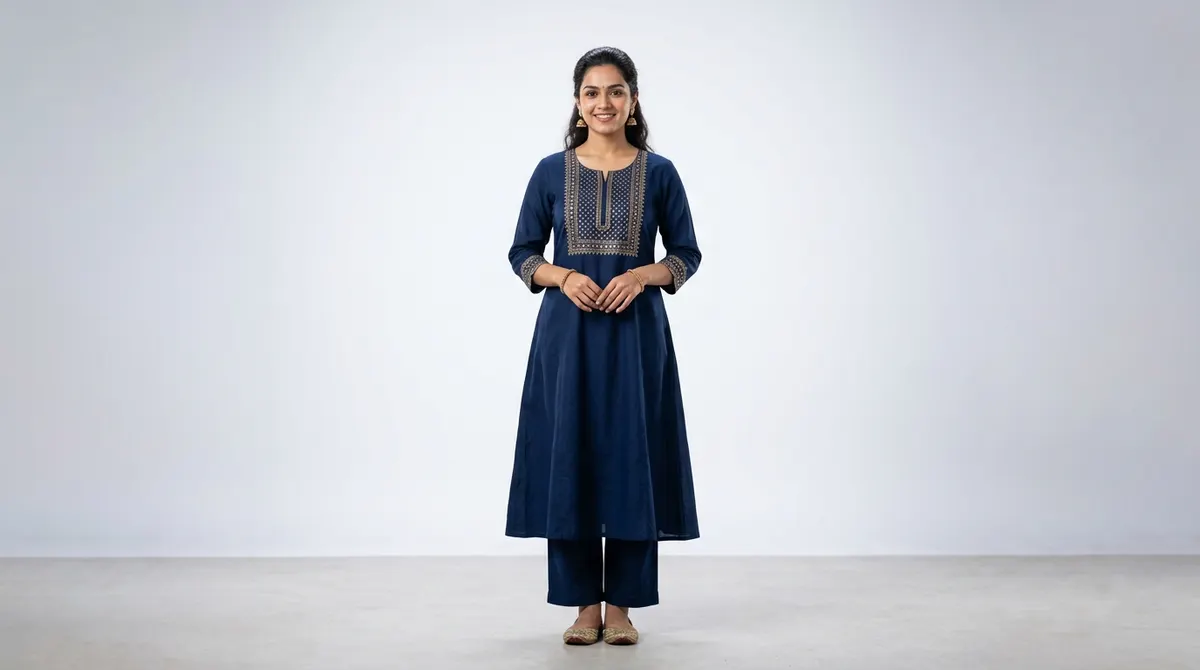
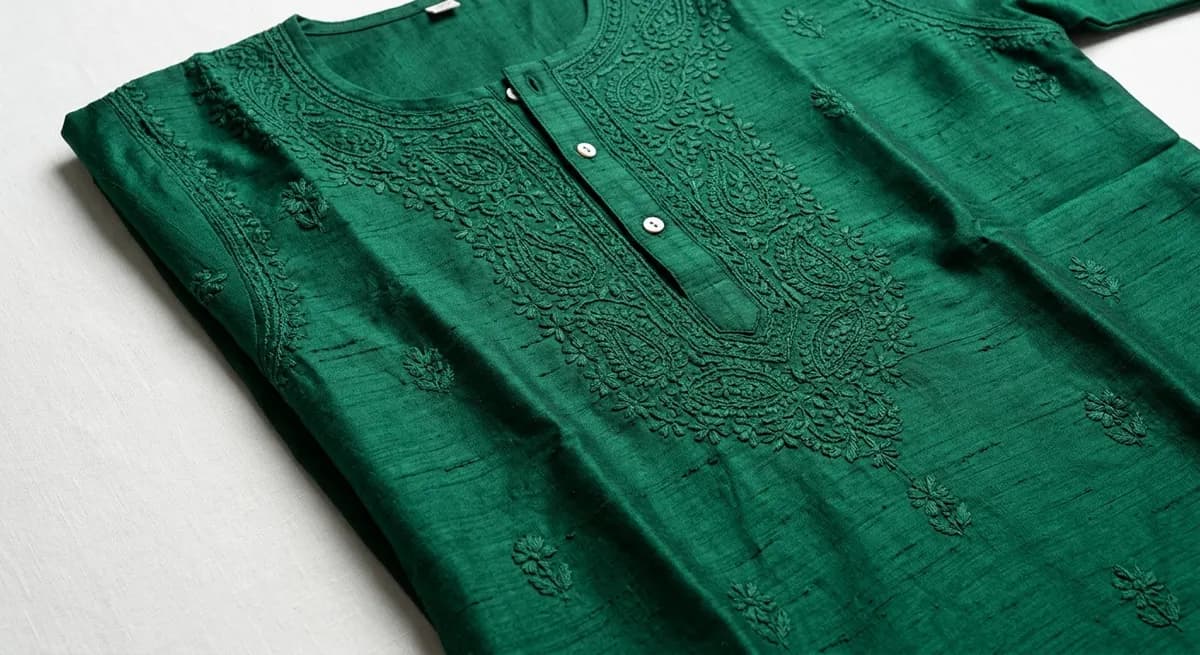
Most AI tools place a stock image of a "kurta" or "dress" when you upload. ShotRoom actually analyses your specific garment — the fabric weight, how it drapes, whether the silhouette is flared or fitted, where the embroidery sits. This structural understanding means the generated photo shows your product accurately, with correct fabric behavior and garment construction visible in every shot.
Every component of your outfit, perfectly tracked
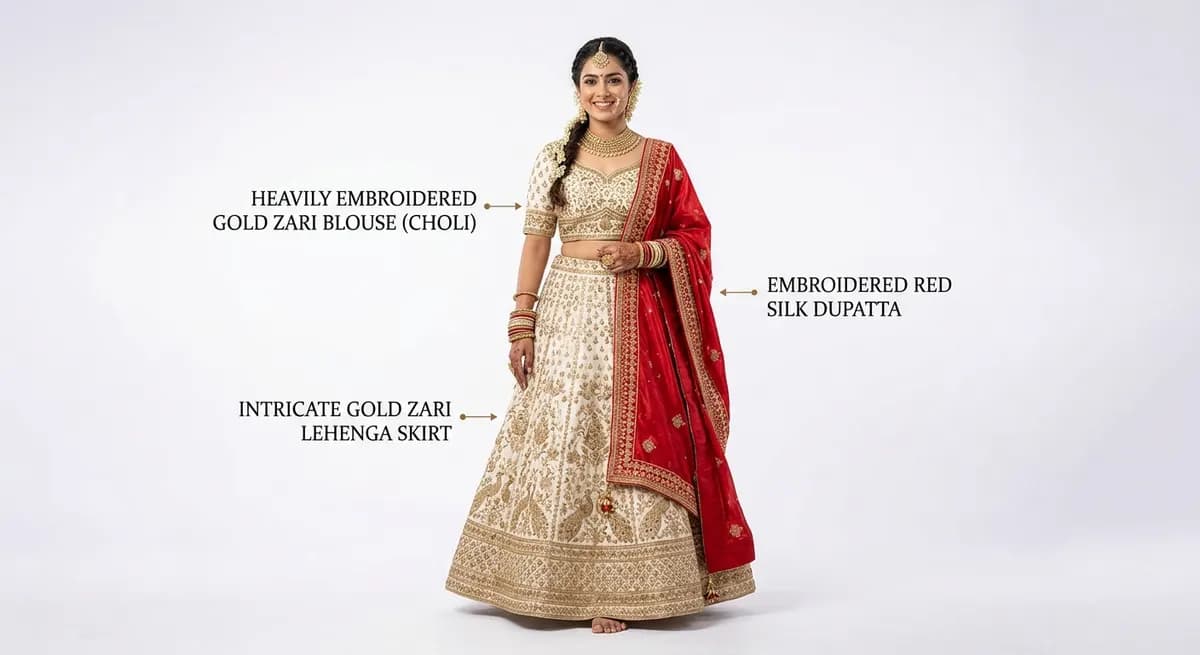
When you upload a set-piece or multi-component outfit — a lehenga with dupatta and blouse, a kurta-pyjama set, a suit with a jacket — ShotRoom labels each component separately. The AI tracks every piece through the generation: what it is, where it sits, how it relates to the other components. No mixing up which embroidery belongs to which piece. No missing the dupatta in the final shot.
Studio-quality output without the studio
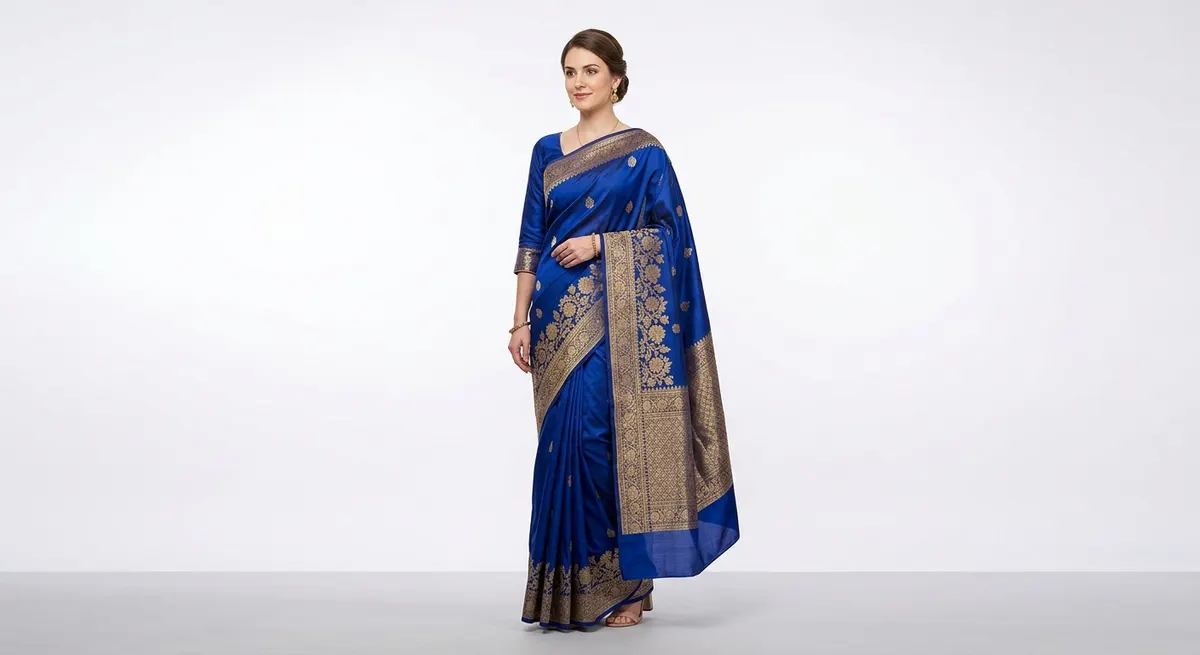
ShotRoom generates images calibrated to professional fashion photography specifications — equivalent to a Canon EOS R5 at 85mm with controlled studio lighting, appropriate depth of field, and industry-standard color grading. Every output has the technical quality expected by Myntra and Ajio — correct background, consistent lighting, sharp product detail. No post-production needed.
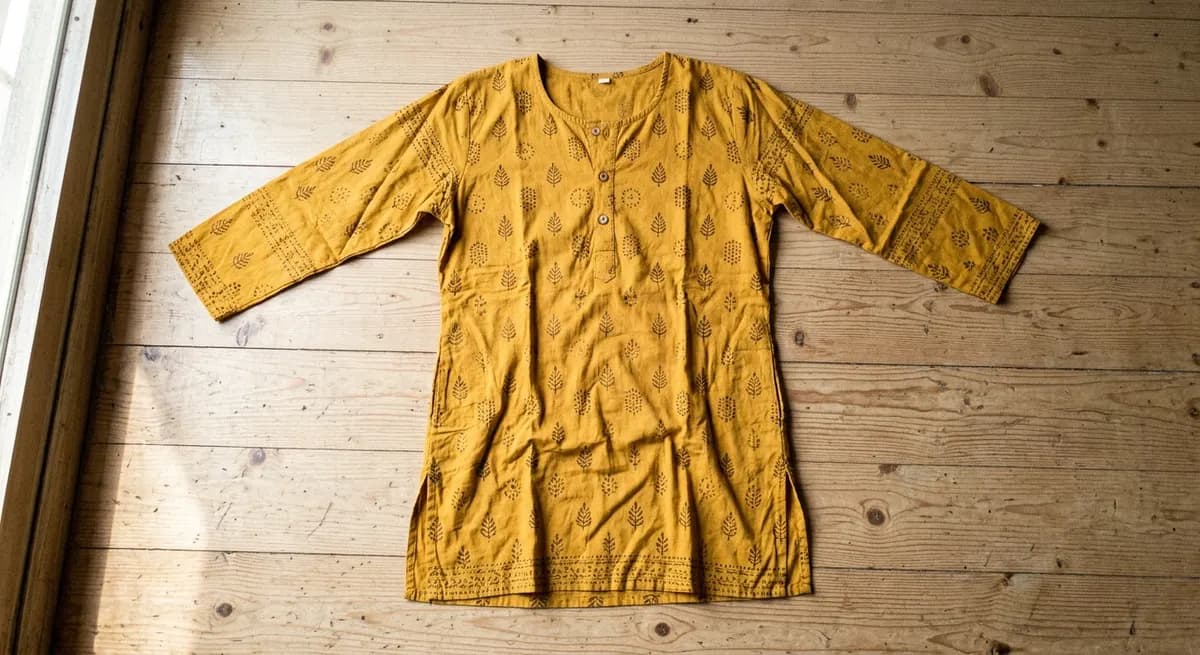 Your flat-lay
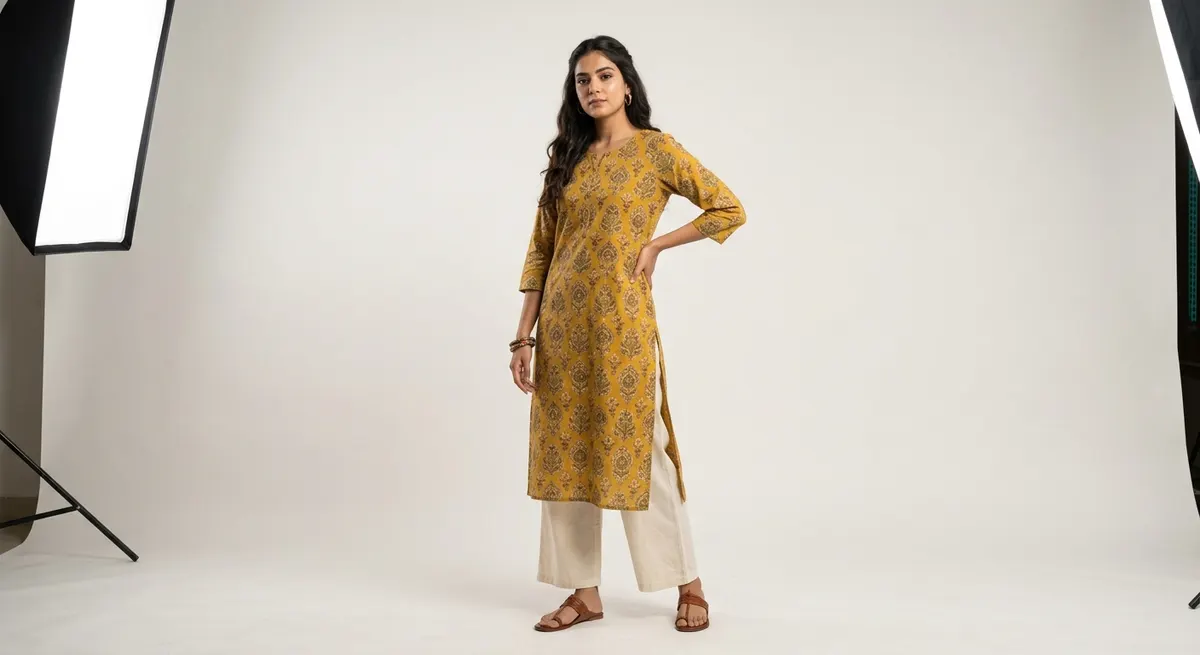 ShotRoom output
Same garment. Same upload. Professional photoshoot output in under 5 minutes.
From flat-lay to photoshoot in 4 steps
Upload your garment photo
Upload any flat-lay, hanger, or low-quality product photo. ShotRoom accepts all common formats — JPEG, PNG, or WebP.
AI analyses fabric and structure
Our vision model reads the garment in detail — fabric weight, drape behavior, silhouette, and construction — building a complete creative brief automatically.
Preview poses on a mannequin
See how the outfit will look across 6–9 AI-selected poses on a clay mannequin before committing a single credit. Swap or add poses freely.
Generate professional photos
ShotRoom renders full-outfit on-model shots, individual component close-ups, and fabric macro details — everything your marketplace listing needs.
Zero studio booking required
No photographer appointment, no location scouting, no lighting rig. Upload from your phone at any time and get professional output within minutes.
Cut photography costs by 80%
Professional studio photography costs ₹500–₹2,000 per image. ShotRoom delivers a full 12–15 image photoshoot for the price of 1–2 studio shots.
Marketplace-ready output, every time
Outputs meet Myntra, Ajio, and Flipkart image guidelines for resolution, background, and aspect ratio. No rejection risk from poor photo quality.
Garment fidelity guaranteed
Every generated image shows your actual garment — the real fabric pattern, the cut, the embroidery. Not a generic garment that looks similar.
Full photoshoot in one session
One upload generates the complete set — front and back poses, individual component shots, and fabric texture macro close-ups. Everything in one workflow.
Approve before you spend
Preview every pose on a clay mannequin before spending credits on the final generation. Change poses, swap styles, adjust — all for free.
Built for Indian fashion sellers — not generic e-commerce
Generic AI photography tools are trained on Western fashion datasets. They don't understand what a lehenga is supposed to look like in motion, how a saree drapes at the pallu, or why a kurta with kaliyan needs a specific pose to show the flare. ShotRoom is trained specifically on Indian ethnic and contemporary fashion — it knows the garments, the poses that flatter them, and the styling conventions buyers expect.
If you sell on Myntra, Ajio, Flipkart, or your own D2C site, ShotRoom understands your inventory. See the ethnic wear specialist page for more on Indian fashion domain expertise.
Frequently Asked Questions
Can I convert a flat-lay photo to an on-model photo using AI?
Yes. ShotRoom is purpose-built for exactly this. Upload a flat-lay image of any garment and the platform generates professional on-model shots with realistic fabric drape, correct silhouette, and marketplace-ready lighting. You get the full photoshoot output — full outfit poses, component close-ups, and fabric texture macros — without booking a studio or a model.
What types of product photos can I convert to on-model shots?
Any garment photo works — flat-lay on a surface, hanging on a door, worn on a mannequin, or even a low-resolution phone photo. ShotRoom's AI analyses the actual garment structure from the image, so it can work with imperfect inputs. Indian ethnic wear (sarees, lehengas, kurtas, sherwanis), western wear, kids wear, and separates are all supported.
How does ShotRoom maintain garment fidelity — does the outfit actually look like my product?
Garment fidelity is the core technical challenge ShotRoom is built to solve. The AI uses structural behavior intelligence to understand how your specific fabric drapes and moves, then uses your product image as a reference throughout the generation. The output shows your actual garment — the pattern, the cut, the fabric — not a generic representation of a similar garment.
How long does it take to get professional product photos from a flat-lay?
From upload to finished photos, the end-to-end process typically takes 3–8 minutes. This includes the AI garment analysis (Step 2), pose preview generation (Step 3), master generation (Step 6), and the final batch of all outfit shots (Step 7). You can review and approve at each stage, or run the full pipeline automatically.
Is this the same as virtual try-on? How is ShotRoom different?
No — ShotRoom is not a virtual try-on tool. Virtual try-on places a garment on a pre-existing person's photo. ShotRoom is an AI creative director that generates a complete, original photoshoot from your garment image. It understands Indian fashion taxonomy, recommends garment-specific poses, and outputs editorial-quality images — not composites or overlays. The output is original photography, not a try-on simulation.
What does "professional photography specs" mean — does the AI actually replicate studio lighting?
Yes. ShotRoom's generation pipeline encodes professional photography parameters — equivalent to a Canon EOS R5 at 85mm, with controlled studio lighting and appropriate depth of field for fashion e-commerce. Every generated image has consistent lighting, correct white balance, and the kind of background control you would expect from a professional studio shoot. This means outputs are immediately marketable without post-production.
Which marketplaces does the output format support?
ShotRoom outputs are formatted for the main Indian fashion marketplaces — Myntra, Ajio, Flipkart, Amazon Fashion, Meesho, and Nykaa Fashion. The aspect ratios, resolution, and background style are all calibrated for these platforms. You can also download a ZIP of all generated images for your own website or social media use.
How much does it cost to convert a flat-lay to an on-model photo?
ShotRoom uses a credit-based model — you pay per photoshoot, not per subscription. A complete session covering one garment (all poses, component shots, and macro details) typically lands at 200–280 credits depending on the garment complexity (each image costs 20 credits at 2K). New accounts receive 60 free credits to start with. Visit the pricing page for the full credit pack breakdown.
Ready to shoot your first product?
Upload a flat-lay and see what ShotRoom does with it. Your first 60 credits are free — no card required.