Remove. Replace. Ready for marketplace.
Drop any product photo and swap the background instantly. Studio-quality white, lifestyle scenes, or marketplace-specific presets — the AI handles garment edges, shadows, and transparent fabrics automatically.
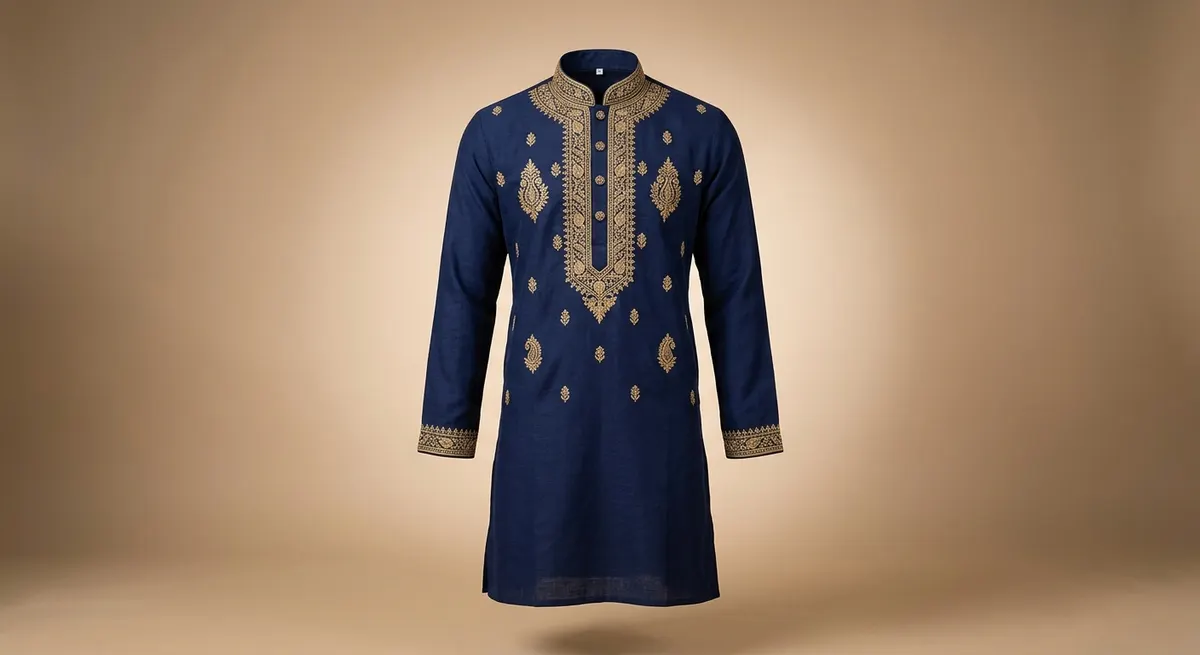
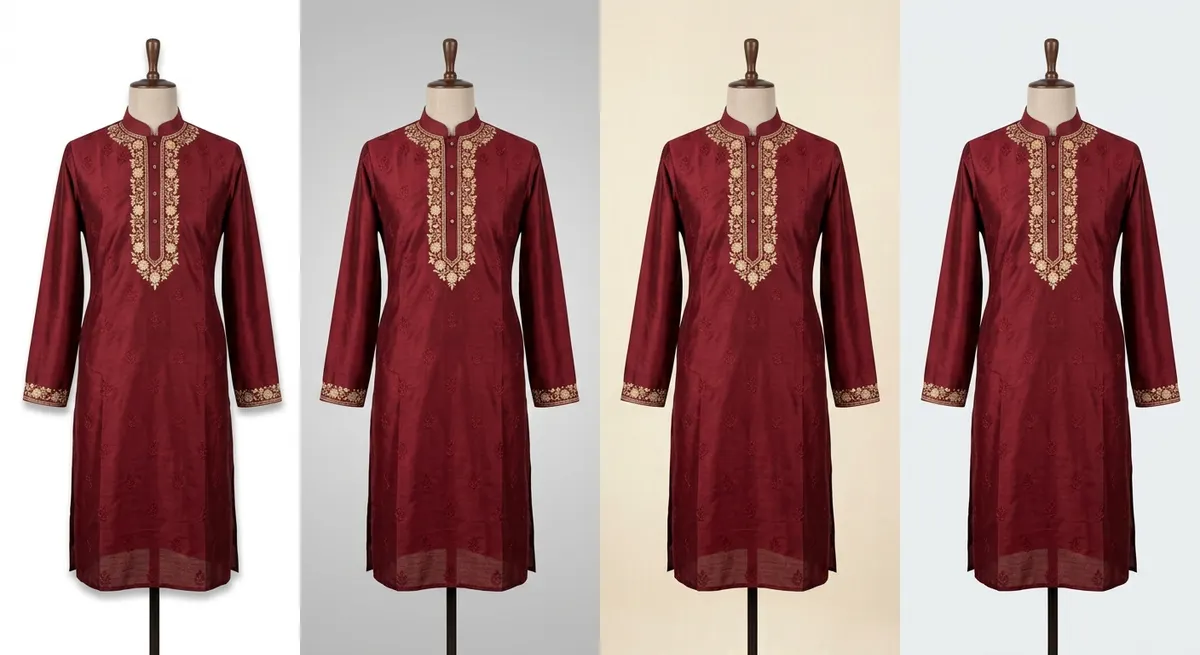
One click to meet Myntra, Amazon, or Ajio image requirements
Every Indian marketplace has different image requirements — white background percentages, minimum resolutions, lighting consistency. ShotRoom's marketplace presets are pre-configured for each platform. Select your target marketplace and the AI generates a compliant background automatically. No more rejected listings because of background issues.
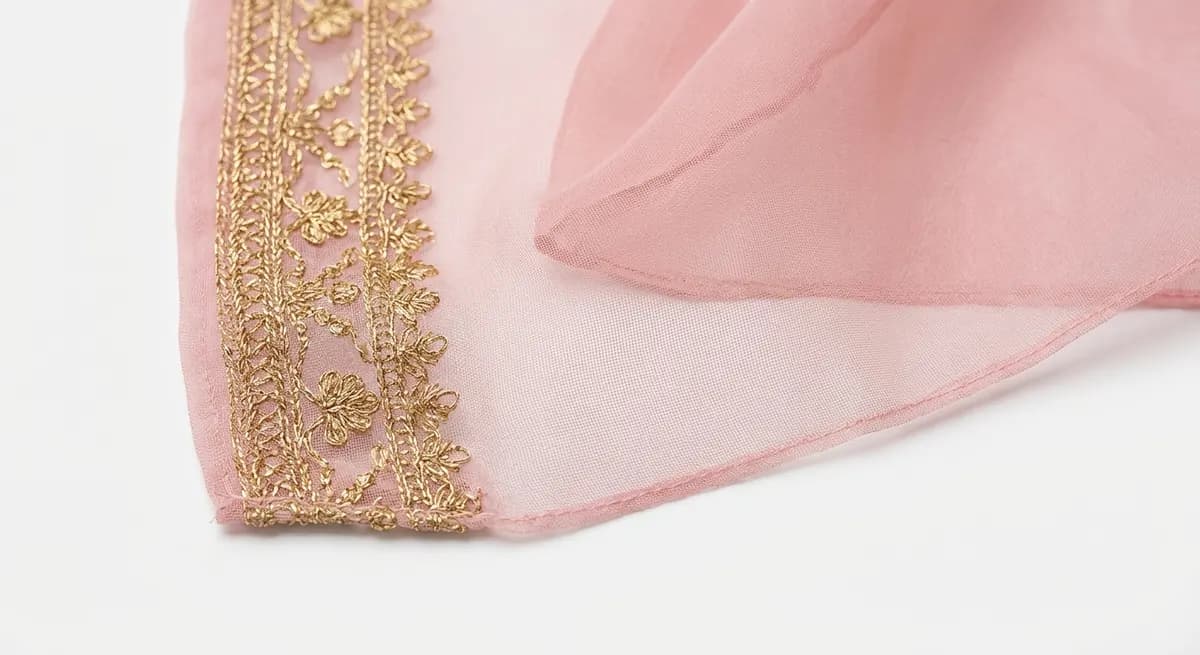
Transparent fabrics stay transparent — not clipped or destroyed
Generic background removers treat transparent fabrics as solid objects — chiffon becomes opaque, organza loses its see-through quality, net overlays get hard-clipped. ShotRoom's AI is trained on Indian fabric types and preserves transparency, sheer effects, and delicate border details. The dupatta drapes naturally over the new background. Zari and embroidery edges are pixel-perfect.
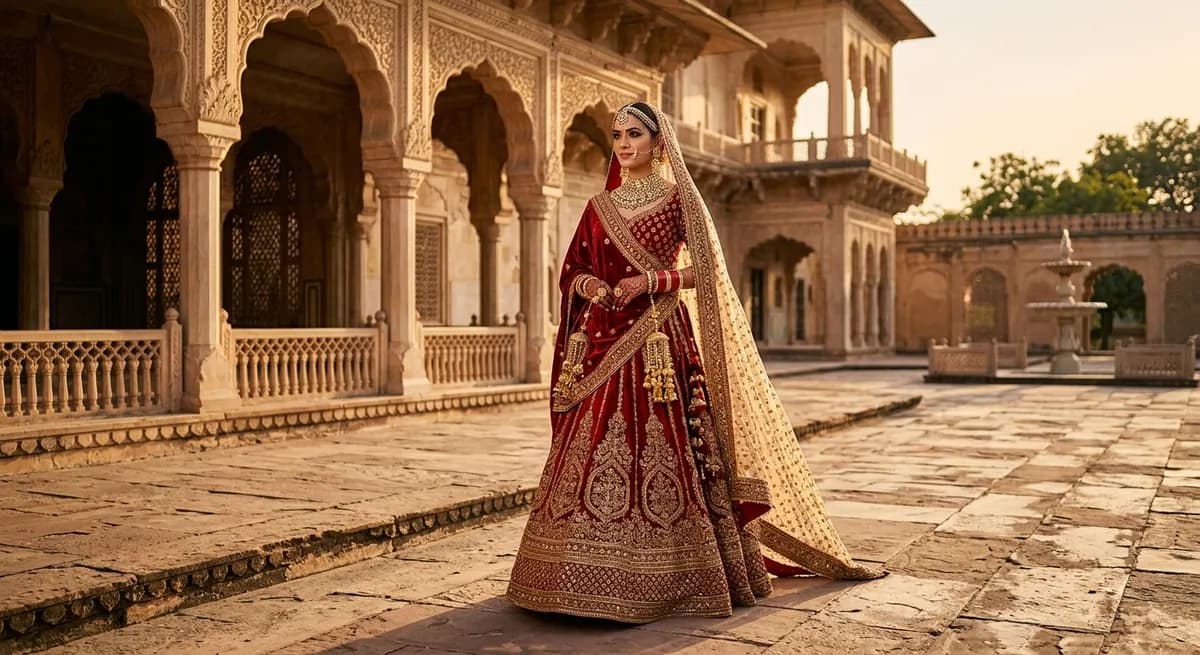
Describe any scene — the AI builds it around your garment
Beyond presets, you can describe any background environment and the AI generates a photorealistic scene. Wedding venue for bridal wear. Rooftop terrace for party collections. Minimalist Scandinavian interior for premium western wear. The AI matches lighting direction, adds natural shadows, and adjusts color temperature so the garment looks like it was photographed in that actual location.
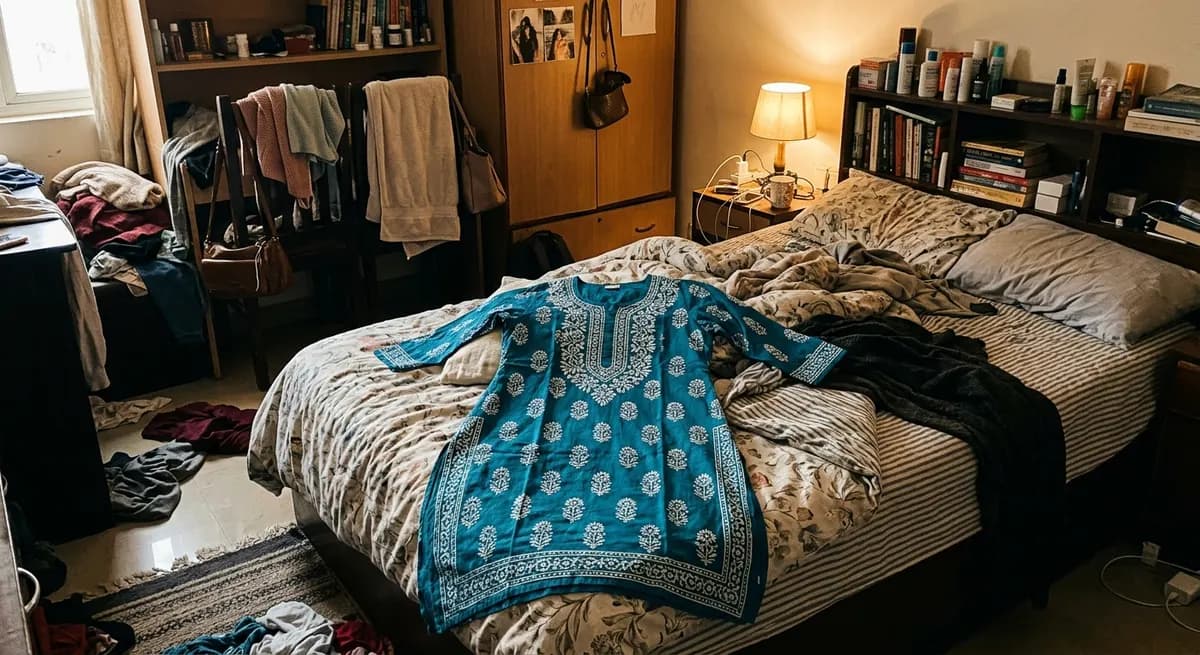 Home photo — cluttered background
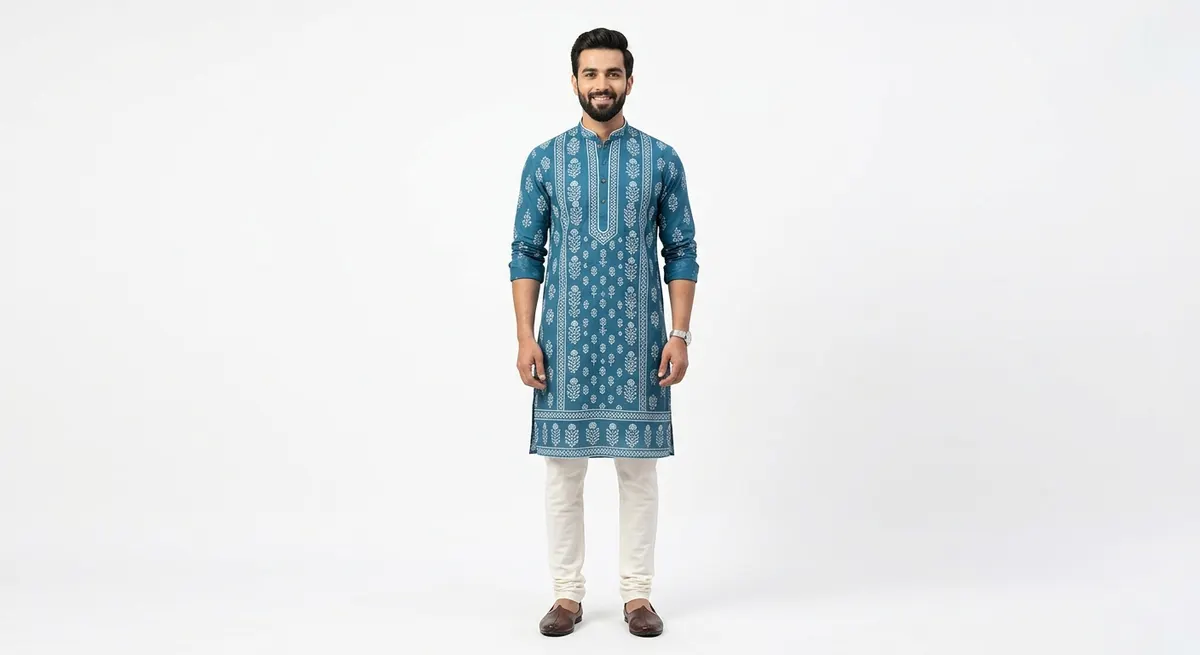 ShotRoom — marketplace-ready
Same garment photo. Background removed and replaced in seconds. Ready for any marketplace.
How Change Background works
Upload your product photo
Upload any product photo — flat-lay, mannequin shot, or existing on-model image. The AI automatically detects the garment boundary and separates it from the background.
Choose a new background
Select from marketplace-ready presets (pure white, gradient), professional studio environments, or lifestyle scenes. You can also describe a custom background and the AI will generate it.
Preview and adjust
See the composite instantly. The AI preserves natural shadows, fabric edges, and garment texture against the new background. Adjust placement or try different backgrounds before committing.
Download marketplace-ready images
Download your edited product photos at full resolution. Images meet marketplace requirements for Myntra, Ajio, Amazon India, Meesho, and Flipkart.
Marketplace-compliant in one click
Pre-configured presets for Myntra, Ajio, Amazon India, Meesho, and Flipkart. Meet every platform's image requirements automatically.
Handles transparent and sheer fabrics
Chiffon dupattas, organza overlays, net fabrics — ShotRoom preserves transparency and see-through effects that generic tools destroy.
Natural shadows and lighting match
Not a simple cutout paste. The AI generates proper shadows, reflections, and color temperature matching for the new background.
Batch processing for catalog updates
Apply the same background to your entire catalog in one batch. Move from lifestyle to white backgrounds without editing each image.
Custom scene generation
Describe any background — wedding venue, rooftop terrace, Rajasthani palace — and the AI generates a photorealistic scene around your garment.
Seconds per image, not minutes
Process each image in seconds instead of the 5-15 minutes a Photoshop editor would take. Scale your catalog without scaling your editing team.
Background is just the start
Once you have the perfect background, explore ShotRoom's other tools. Generate the same garment in different poses with Pose Studio or put it on a different model with Model Swap.
Or use the full product-to-model pipeline to generate a complete photoshoot from a single garment image.
Try Change Background FreeFrequently Asked Questions
Can AI remove the background from a product photo accurately?
Yes. ShotRoom's background removal is trained specifically on fashion products — it handles transparent fabrics, intricate borders, dupatta drapes, and fine embroidery edges that generic background removers struggle with. The AI preserves natural shadows and fabric texture rather than creating hard cutouts. The result looks like a proper studio shot, not a Photoshop extraction.
What types of backgrounds can I add to my product photos?
ShotRoom offers three categories: marketplace-ready backgrounds (pure white, light gradient — compliant with Myntra, Ajio, Amazon listing requirements), studio environments (professional photography studio with controlled lighting, seamless paper, fashion backdrops), and lifestyle scenes (living room, outdoor, wedding venue — ideal for social media and lookbook content). You can also describe a custom scene and the AI generates it.
Will the changed background look realistic or obviously edited?
ShotRoom generates the garment composited into the new environment — it's not a simple cutout paste. The AI matches lighting direction, adds appropriate shadows and reflections, and adjusts color temperature to match the scene. For studio backgrounds, the result is indistinguishable from a real studio shot. For lifestyle scenes, the quality matches what you'd get from a proper location shoot with a photographer.
Does this work with Indian ethnic wear like sarees and lehengas?
Specifically designed for it. Indian ethnic wear is one of the hardest categories for background removal because of transparent fabrics (chiffon, organza dupattas), intricate borders (zari, embroidery edges), and flowing silhouettes. ShotRoom's AI is trained on thousands of Indian garment images and handles these edge cases far better than generic tools like remove.bg or Canva's background remover.
Can I batch-process multiple product photos at once?
Yes. Upload multiple garment images and apply the same background to all of them in a single batch. This is particularly useful for catalog updates — if you need to move your entire store from lifestyle backgrounds to marketplace-compliant white backgrounds, you can do it in one batch instead of editing each image individually.
How does this compare to using Photoshop or Canva for background removal?
Speed and quality. Manual Photoshop background removal takes 5-15 minutes per image for a skilled editor, and the results depend on the editor's skill. Canva and remove.bg are fast but produce poor results on fashion products — especially transparent fabrics and detailed borders. ShotRoom is both fast (seconds per image) and accurate (trained specifically on fashion products). For a catalog of 50+ items, the time savings alone pay for the tool.
Do the output images meet marketplace listing requirements?
Yes. Marketplace-ready presets are specifically configured for each platform's requirements. Myntra requires a white background with minimum 80% garment coverage. Amazon India requires pure white (#FFFFFF) backgrounds. Ajio requires clean backgrounds with consistent lighting. ShotRoom's marketplace presets handle all of these automatically — you don't need to manually check each platform's image guidelines.
Clean backgrounds. Professional results. Seconds, not hours.
Try Change Background on your first product photo. 60 free credits on every new account — no card required.