One garment. Every angle. Unlimited poses.
Upload a single product photo and generate it on models in any pose you need — front, back, editorial, lifestyle. Preview every pose free on a clay mannequin before spending a single credit.
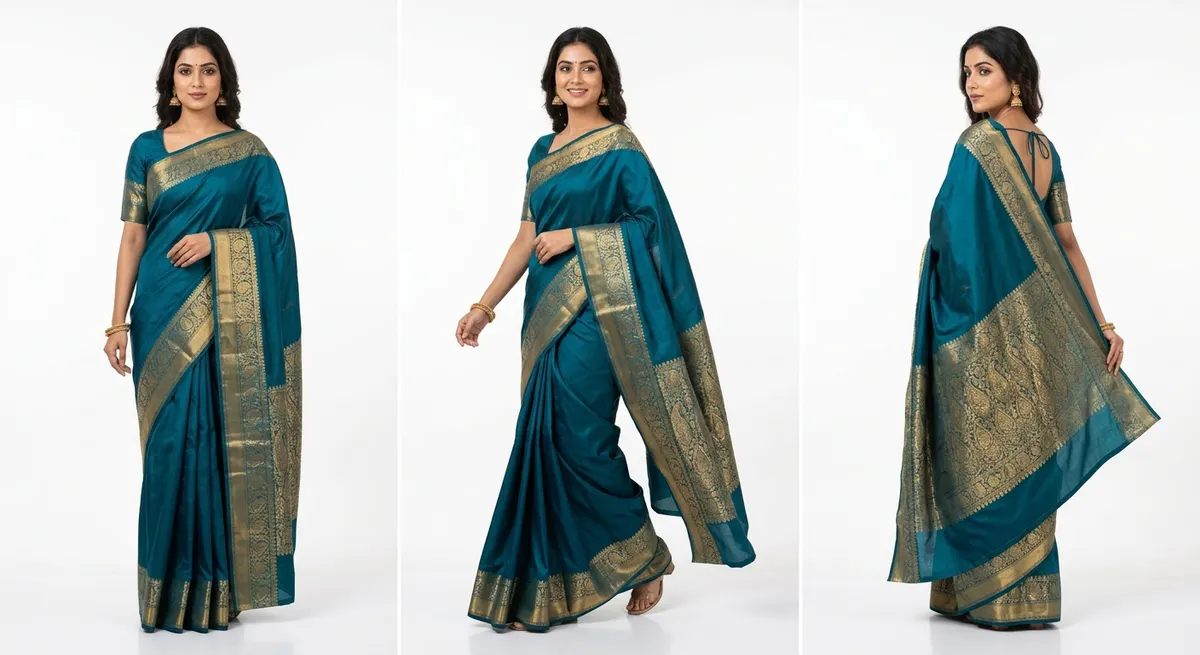
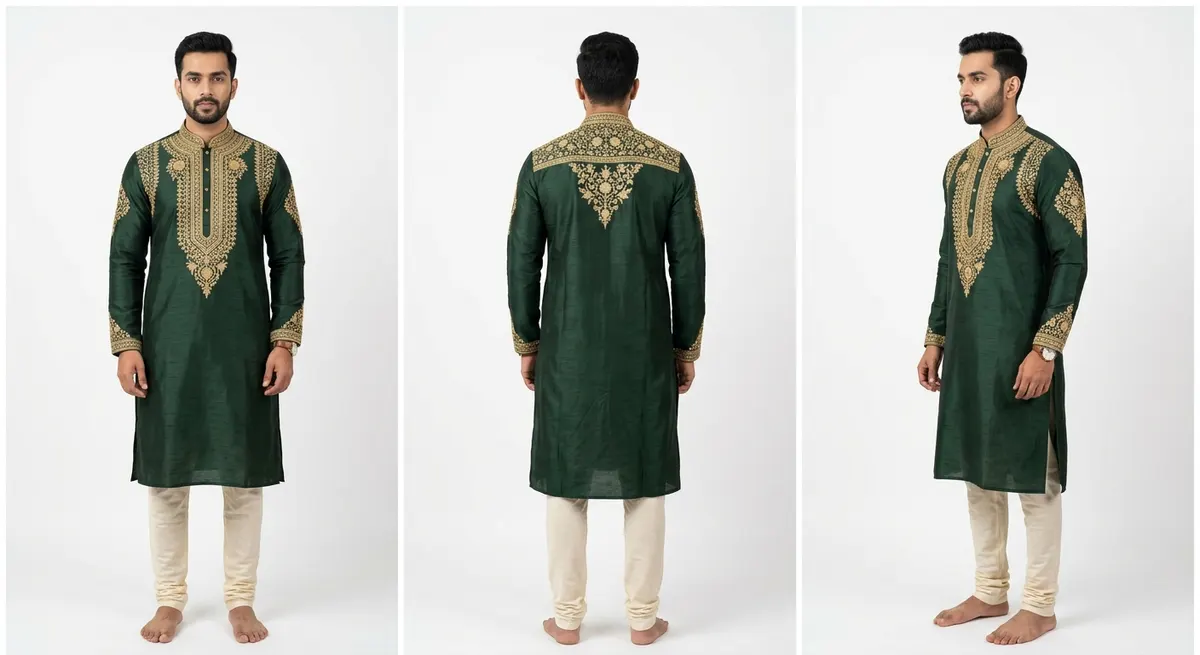
Front, back, side — every marketplace angle from one upload
Most marketplace listings require at least 3-4 angles: front view, back view, side profile, and detail close-up. Traditionally, each angle is a separate shot during a physical photoshoot. With Pose Studio, you upload the garment once and generate all angles digitally. The AI maintains garment accuracy across every angle — embroidery visible from the front stays consistent when viewed from the back.
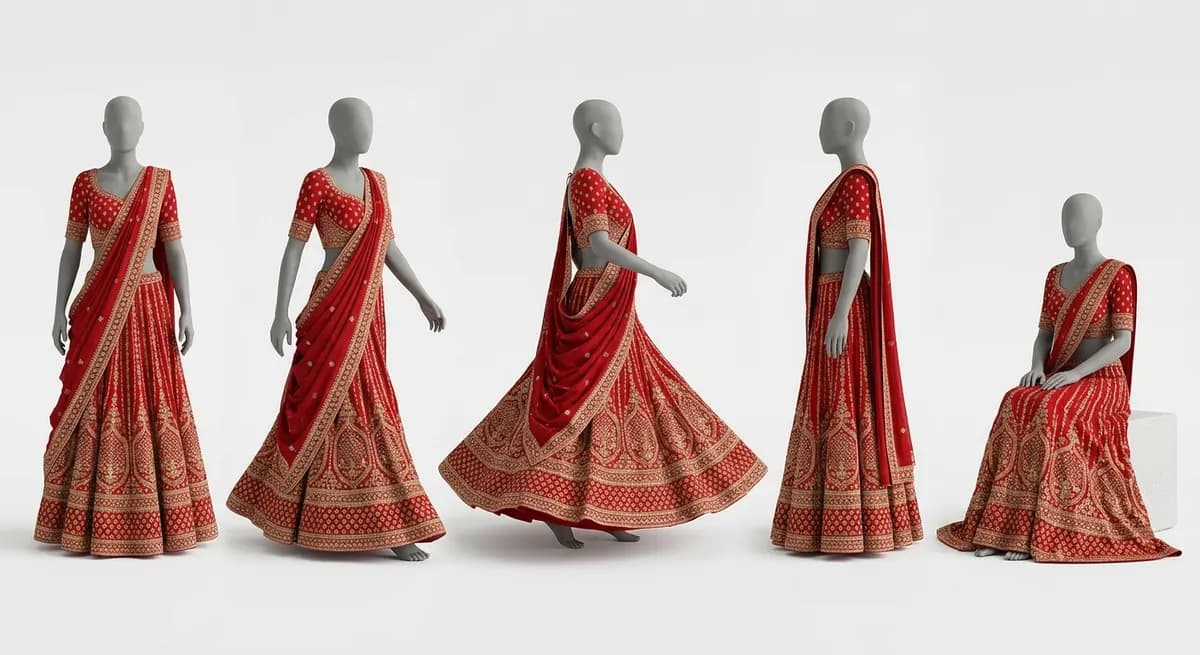
Preview 20 poses for free. Generate only the best.
Before ShotRoom generates the final on-model photos — which consume credits — every pose is rendered on a neutral clay mannequin. This preview is completely free. You can try 20 different poses, see how the garment looks in each, remove the ones that don't work, and only commit credits to the final selection. It's the AI equivalent of a photographer doing test shots before the final take.
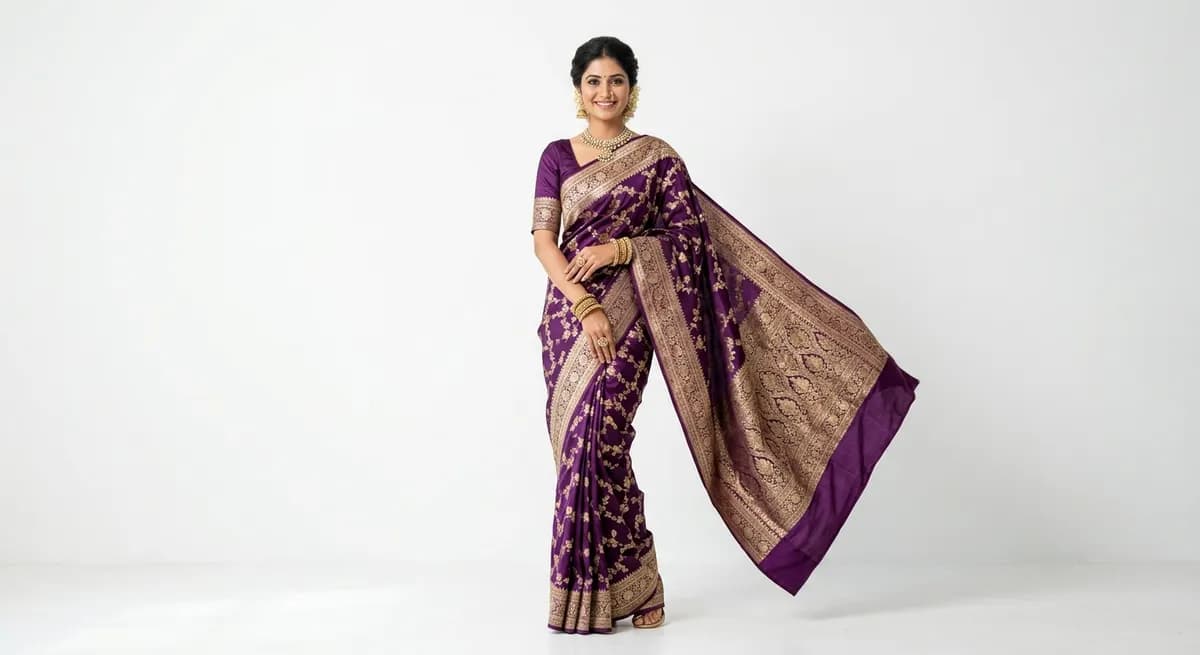
Poses designed for sarees, lehengas, kurtas — not just generic standing shots
A saree needs poses that show the pallav drape. A lehenga needs poses that capture the flare and volume. A kurta needs a full-length standing pose that displays the entire design. Generic pose tools don't understand Indian garment types — they'll give you the same standing pose for every product. ShotRoom's pose library is curated with garment-specific poses that highlight what matters for each garment category.
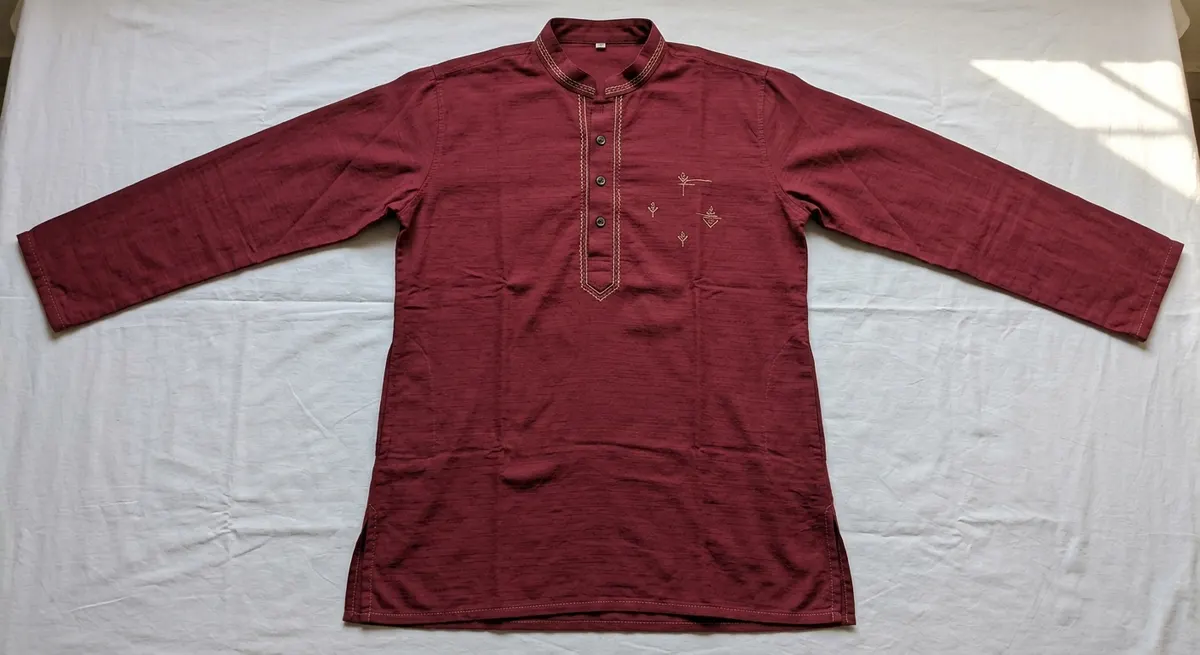 Single-angle listing
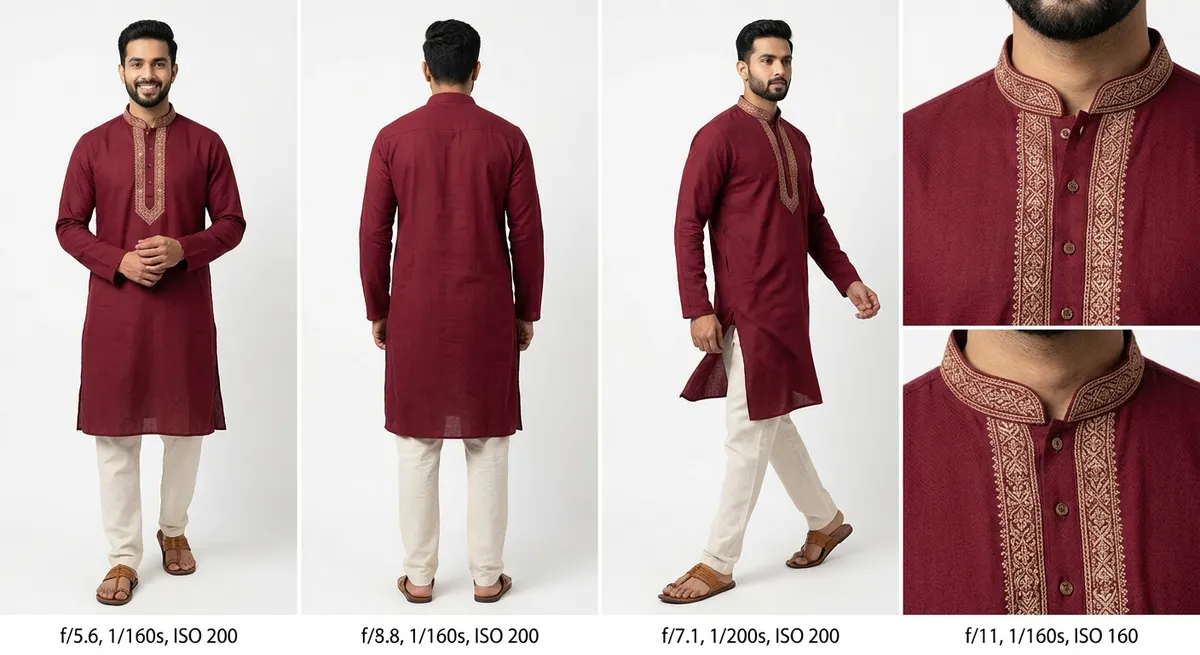 Multi-angle with Pose Studio
From one flat-lay to a full multi-angle product listing. More angles, more customer confidence, higher conversions.
How Pose Studio works
Upload your garment image
Upload a flat-lay, mannequin shot, or existing product photo. ShotRoom's AI analyzes the garment structure, fabric type, and components automatically.
Browse and select poses
Choose from a curated library of poses — marketplace-standard front and back views, editorial angles, walking poses, lifestyle compositions. Filter by garment type for poses that work best with your specific product.
Preview on a clay mannequin for free
Every selected pose is rendered on a neutral clay mannequin instantly at no credit cost. Check garment coverage, pose composition, and drape quality. Add, remove, or swap poses freely at this stage.
Generate final on-model shots
Once you're happy with the poses, generate the final high-quality on-model images. Each image is studio-quality with proper lighting, shadows, and garment fidelity.
Every angle from one upload
Front, back, side, editorial, lifestyle — generate any angle without re-photographing the garment or booking a new shoot.
Free mannequin previews
Preview every pose on a neutral clay mannequin before spending credits. Experiment with 20 poses, generate only the best.
Garment-specific pose library
Poses designed for Indian garment types — saree pallav draping, lehenga twirl, kurta full-length, sherwani formal stances.
Consistent garment fidelity
Embroidery, fabric texture, and silhouette stay accurate across all poses. The AI tracks each component independently.
Marketplace + editorial in one session
Generate both marketplace-standard views (for listings) and editorial angles (for lookbooks) in a single session. No separate shoots.
Physics-aware fabric draping
The AI understands how fabric behaves in each pose. A saree pallav falls differently when walking vs. standing — ShotRoom captures that.
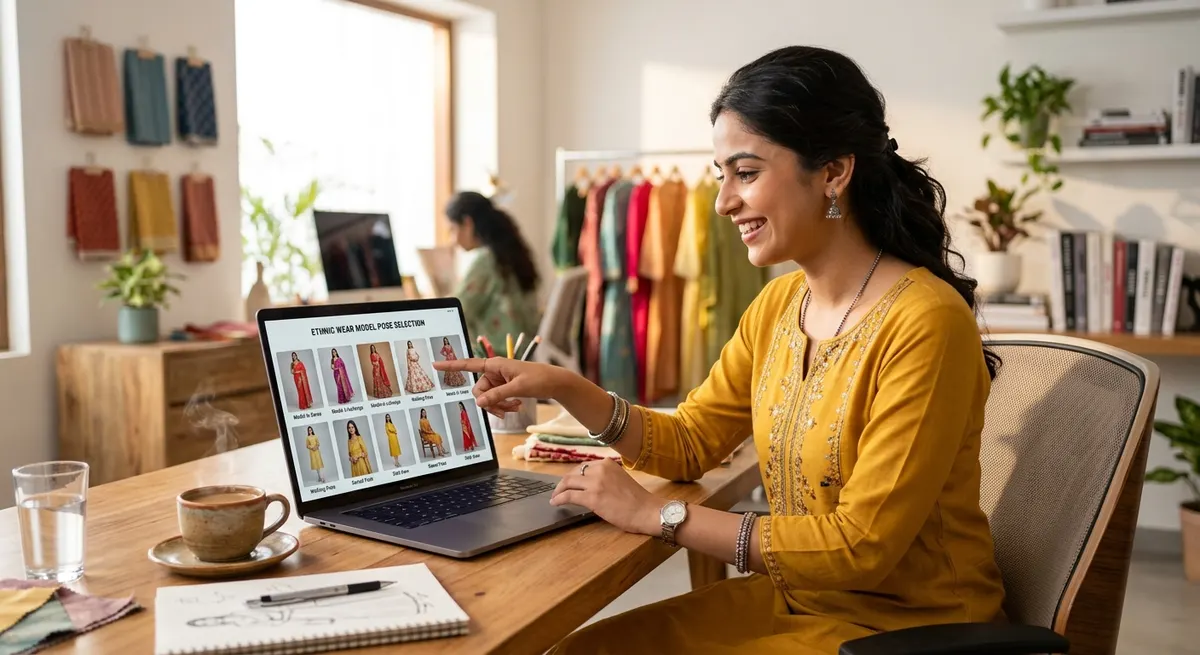
Poses are just the beginning
Once you have the right poses, take your catalog further. Swap the model to appeal to different audiences with Model Swap or change backgrounds for different marketplaces with Change Background.
Or use the full product-to-model pipeline for a complete AI photoshoot from a single garment upload.
Try Pose Studio FreeFrequently Asked Questions
Can I generate multiple pose angles from a single garment photo?
Yes. That's exactly what Pose Studio is built for. Upload one garment image — flat-lay, mannequin, or existing product shot — and generate it on a model in as many poses as you need. Front view for the main marketplace listing, back view for design details, side angle for silhouette, editorial poses for lookbooks, lifestyle compositions for social media. All from a single upload.
What does the free clay mannequin preview look like?
The clay mannequin preview renders your garment on a neutral, skin-tone-free mannequin form in each selected pose. It shows you the pose composition, garment coverage, and overall shot framing without consuming any credits. The mannequin is intentionally plain — the focus is on seeing how the garment reads in each pose so you can make informed decisions before generating the final on-model images.
Does the garment look accurate across different poses?
ShotRoom's AI tracks each garment component independently through pose changes. The embroidery pattern stays consistent, the fabric drapes according to the pose physics, and the silhouette adjusts naturally. This isn't a simple warp or stretch — the AI understands how fabric behaves in each pose. A saree pallav falls differently in a walking pose vs. a standing pose, and ShotRoom captures that difference accurately.
What types of poses are available?
The pose library includes: marketplace-standard poses (front facing, back view, 3/4 turn — required by most platforms), editorial poses (looking away, over-shoulder, movement shots — for lookbooks and brand pages), lifestyle poses (walking, sitting, interacting with environment — for social media content), and garment-specific poses (saree pallav drape, lehenga twirl, dupatta styling — poses designed for specific Indian garment types).
Can I use Pose Studio for Indian ethnic wear specifically?
Yes — the pose library includes poses specifically designed for Indian garment types. Saree draping poses that show the pallav and pleats correctly. Lehenga poses that capture the flare and volume. Kurta poses that display the full length and embroidery. Sherwani poses with appropriate formal stances. These garment-specific poses ensure that the key design elements of each garment type are visible and well-represented in the final images.
How many poses can I generate per garment?
There is no hard limit on the number of poses per garment. Most sellers generate 4-8 poses per product — a mix of marketplace-standard views and editorial angles. You can preview unlimited poses on the clay mannequin for free and only pay credits for the final on-model generations. This means you can experiment with 20 poses at mannequin stage and only generate the best 6 at full quality.
Can I combine Pose Studio with Model Swap?
Yes. These tools work together seamlessly. Use Pose Studio to find the perfect poses for your garment, then use Model Swap to generate those poses on different model identities. Or go through the full ShotRoom pipeline — which combines pose selection, model selection, and multi-angle generation into a single session workflow. The tools are available standalone or as part of the complete pipeline.
Every angle your customers want to see — from one upload
Try Pose Studio on your first garment. 60 free credits on every new account — no card required.