AI Product Photography for AJIO
Create AJIO-ready editorial product photos that match the platform's curated look
Start Your Free Shoot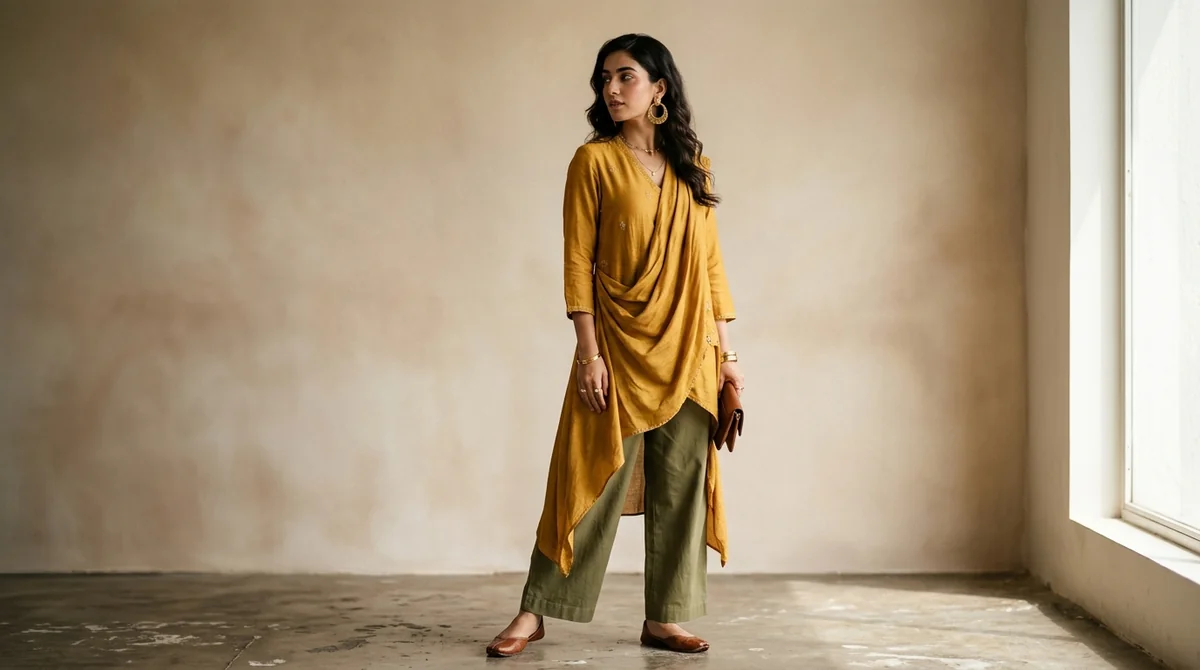
AJIO Image Specifications
Dimensions
1080x1440px (3:4 portrait ratio)
Background
Light grey or off-white — AJIO prefers a slightly warmer tone than pure white
Max File Size
5 MB
Format
JPEG recommended
AJIO Listing Requirements
- Portrait orientation (3:4 ratio) — 1080x1440px is the AJIO standard
- On-model shots are mandatory for apparel; ghost/flat-lay not accepted as primary image
- Light grey or clean off-white backgrounds — avoid harsh pure white which looks clinical
- Model must wear the exact product being listed — no styling substitutions
- No promotional text, price tags, or brand watermarks on product images
Tips for AJIO Product Photography
AJIO has a curated, editorial aesthetic — images that look fashion-magazine quality perform better
Indian skin tone models are strongly preferred and resonate better with AJIO's customer base
Include at least one detail close-up image to showcase fabric texture and embellishments
AJIO accepts front, back, and side shots — 4 images minimum is recommended for full approval
What AJIO Sellers Need to Know About Product Photography
AJIO stands apart from other Indian marketplaces with its curated, editorial-first approach. Where Amazon and Flipkart optimize for information density, AJIO's catalog feels like a fashion magazine — and the platform expects seller images to match that standard. The 3:4 portrait format is not just a guideline; listings submitted in square or landscape format are frequently sent back for revision, delaying catalog activation by 3-5 business days. AJIO's buyer demographic skews toward trend-conscious urban shoppers aged 18-35 who judge a brand by its visual presentation before reading a single product detail. Sellers who invest in on-model photography with Indian models on soft grey backgrounds report significantly higher click-through rates compared to clinical white-background shots that feel transplanted from Amazon. The platform rewards visual consistency — maintaining a signature look across your entire AJIO catalog builds brand recognition in a sea of similar products.
How ShotRoom Creates AJIO-Ready Photos
- 1
Upload your garment photo
Upload a clear photo of your garment to ShotRoom. Include any embellishment or texture details in your upload for best results.
- 2
Choose an Indian model and light grey background
Select from ShotRoom's Indian model library and pick a light grey background to match AJIO's editorial aesthetic.
- 3
Generate images in 3:4 portrait format
ShotRoom generates images in AJIO's preferred 1080x1440px portrait format, ready to upload without any cropping.
- 4
Download and submit to AJIO Seller Hub
Export as JPEG and submit to AJIO Seller Hub. Your images meet AJIO's on-model, background, and dimension requirements.
Frequently Asked Questions
What image dimensions does AJIO require for product listings?
AJIO requires images in 3:4 portrait orientation, with the standard being 1080x1440 pixels. This portrait format is designed for mobile-first browsing where most AJIO shoppers discover fashion products.
Does AJIO accept flat-lay images for apparel?
AJIO requires on-model images as the primary product photo for apparel listings. Flat-lay images may be submitted as secondary images but cannot be the main listing photo. Ghost mannequin images are also accepted as secondary images.
What background colour should I use for AJIO product photos?
AJIO prefers a light grey or soft off-white background for apparel listings. The platform's aesthetic leans editorial and warm, so avoid the harsh clinical look of pure #FFFFFF. A background between #F0F0F0 and #F8F7F5 works well for AJIO listings.
Ready to start selling on AJIO?
Generate professional AJIO-compliant product photos in minutes. No studio needed.
Get Started Free