AI Product Photography for Shopify India
Build a premium D2C brand with AI-generated product photography
Start Your Free Shoot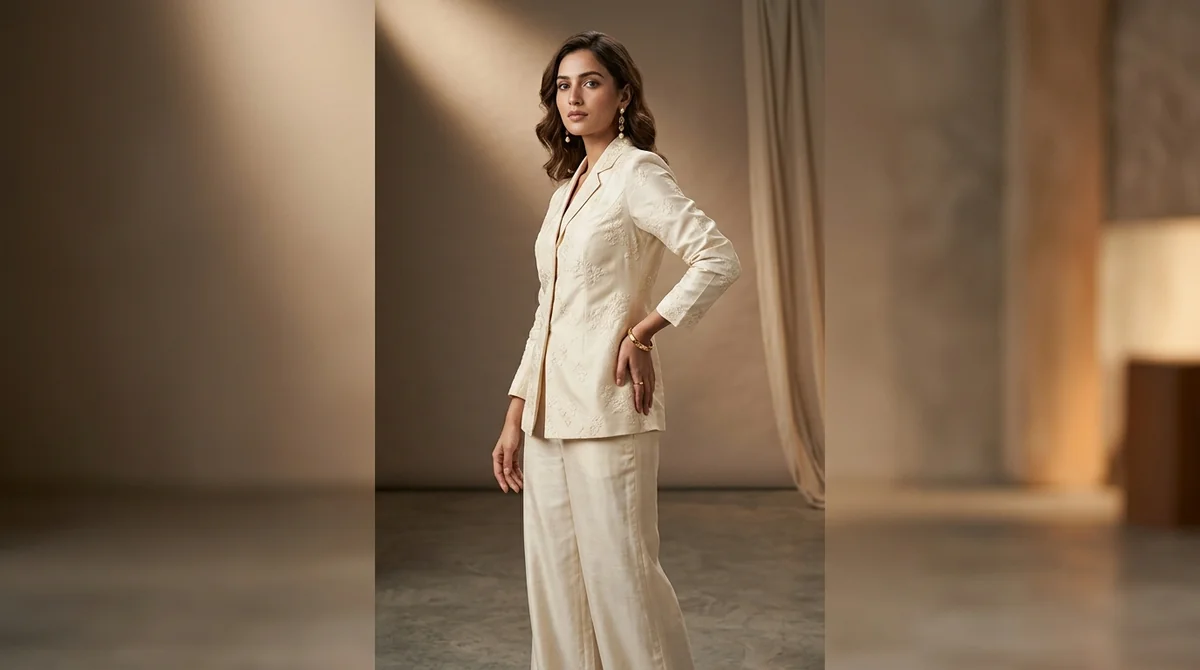
Shopify India Image Specifications
Dimensions
2048x2048px recommended (square, or any aspect ratio)
Background
Any background — lifestyle, white, or branded colour schemes all work
Max File Size
20 MB
Format
JPEG, PNG, WebP, GIF, HEIC supported
Shopify India Listing Requirements
- No mandatory dimension requirements — Shopify accepts any image size
- All images in a product should be consistent in style, aspect ratio, and background
- WebP format gives the best performance (smaller file size, faster page loads)
- Square (1:1) images work best for product grid layouts in most Shopify themes
- Use consistent image naming conventions for easier product management
Tips for Shopify India Product Photography
D2C brands on Shopify should invest in a signature look — consistent background, lighting, and style across all product images
Shopify's image CDN resizes images automatically, so upload at 2048x2048px and let Shopify handle the rest
Include lifestyle images as secondary product photos to tell your brand story
Use image alt text with descriptive garment details — critical for SEO and accessibility
Multiple product images (front, back, detail, lifestyle) significantly improve time-on-page and reduce bounce rates
What Shopify India Sellers Need to Know About Product Photography
Shopify India D2C brands face a fundamentally different challenge from marketplace sellers: there's no pre-built trust from a platform like Amazon or Myntra. Your product images ARE your brand — they're the first and often only thing a visitor evaluates before deciding whether to stay or bounce. First-time visitors to a Shopify store make a stay-or-leave decision in under 3 seconds, and product image quality is the dominant signal. The most successful Indian D2C fashion brands on Shopify invest in a signature visual style — consistent backgrounds, lighting, model aesthetic, and composition across every single product. This consistency builds brand recognition and perceived quality that justifies premium pricing. Unlike marketplace sellers who optimize for compliance, Shopify sellers should optimize for brand identity and storytelling. Include lifestyle images alongside clean studio shots, maintain a cohesive colour palette across your product grid, and use the freedom Shopify gives you to create a visual world that resonates with your target customer. AI photography makes this economically viable even for brands with 200+ SKUs.
How ShotRoom Creates Shopify India-Ready Photos
- 1
Upload your garment to ShotRoom
Upload your product and brief ShotRoom on your brand aesthetic — lifestyle, clean studio, or branded backgrounds.
- 2
Customise for your brand identity
Choose from backgrounds and model styles that match your brand. Shopify stores need visual consistency — ShotRoom helps you maintain a signature look across all products.
- 3
Generate a complete product photoshoot
ShotRoom creates front, back, detail close-ups, and flat-lay images at 2048x2048px — ready for Shopify upload without any resizing.
- 4
Export and upload to Shopify Products
Download as JPEG or WebP and upload to your Shopify product listing. Shopify's CDN handles the rest — serving optimised images to all devices automatically.
Frequently Asked Questions
What image size should I use for Shopify product photos in India?
Shopify recommends 2048x2048 pixels for product images. This resolution works well with Shopify's built-in image CDN, which automatically resizes and serves optimised versions for different devices. Square images are generally recommended as they work consistently across most Shopify themes.
Do I need a white background for my Shopify store product photos?
No. Unlike marketplaces such as Amazon or Myntra, Shopify gives you complete creative freedom. Many successful Indian D2C fashion brands use lifestyle backgrounds, brand-specific colour palettes, or textured surfaces. The key is consistency — all product images in your store should have a cohesive visual style.
How does professional product photography affect Shopify store conversion rates?
Studies consistently show that high-quality product images are the #1 factor in online purchase decisions. For fashion specifically, stores with professional, styled photography typically see 30-50% higher conversion rates compared to stores with amateur smartphone photos. AI-generated photography from ShotRoom gives D2C brands studio-quality results at a fraction of traditional photography costs.
Popular Garment Types on Shopify India
Ready to start selling on Shopify India?
Generate professional Shopify India-compliant product photos in minutes. No studio needed.
Get Started Free