AI Product Photography for Amazon India
Create Amazon-compliant product images with pure white backgrounds
Start Your Free Shoot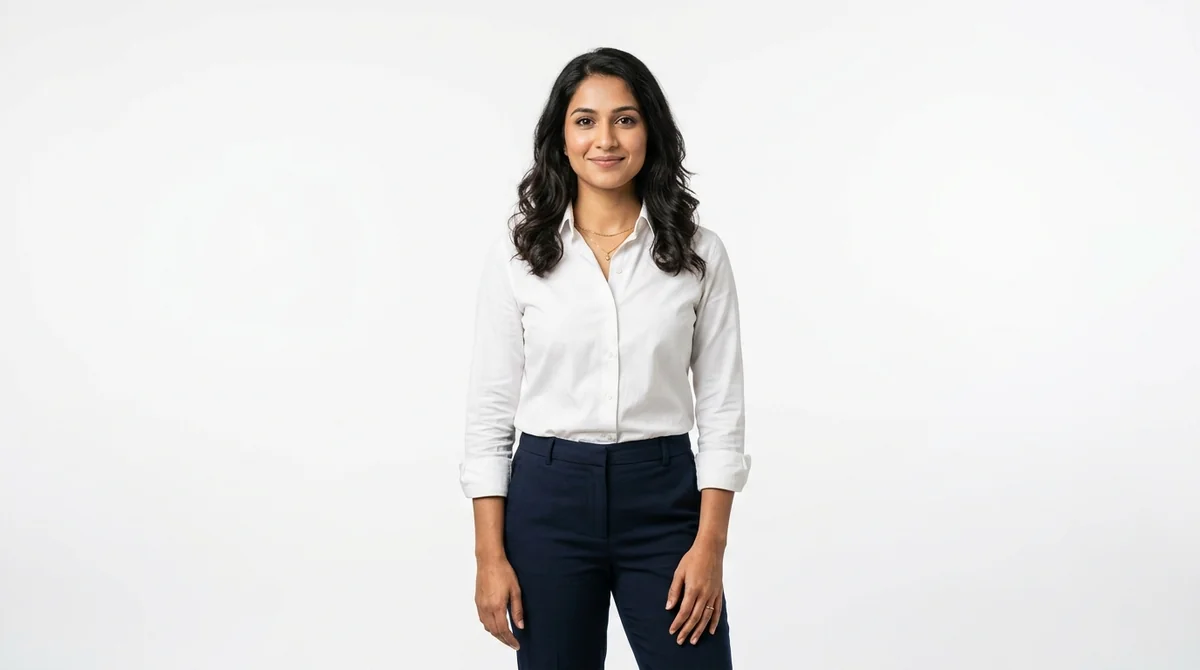
Amazon India Image Specifications
Dimensions
1000x1000px minimum (square format recommended)
Background
Pure white (#FFFFFF) — no off-white, cream, or grey allowed for main image
Max File Size
10 MB
Format
JPEG, PNG, or TIFF (JPEG most commonly used)
Amazon India Listing Requirements
- Main image must have a pure white background (#FFFFFF) — this is a hard Amazon requirement
- Minimum 1000x1000px; 2000x2000px recommended for high-resolution zoom
- Product must fill 85% or more of the image area
- No text, logos, watermarks, borders, or mannequins in the main image
- For apparel, the main image should show the front of the product on a model or flat-lay
- ASIN packaging images must show the actual product, not placeholder art
Tips for Amazon India Product Photography
Amazon A+ Content allows lifestyle images — reserve those for additional image slots, not the main ASIN image
Square (1:1) images work best on Amazon as they display consistently across desktop and mobile
Use JPEG format at 72-96 DPI with RGB colour space for the smallest file size without quality loss
Amazon's Brand Analytics shows that listings with 7+ images see 30% higher conversion rates
What Amazon India Sellers Need to Know About Product Photography
Amazon India enforces the strictest background requirement of any Indian marketplace: pure white #FFFFFF — not off-white, not light grey. The ASIN main image is algorithmically validated, and even a 1-2% deviation from pure white can suppress your listing from search results and the Buy Box. Amazon's A9 algorithm also heavily weights image count and quality; internal studies show that fashion ASINs with 7+ high-resolution images see 30% higher conversion than those with fewer than 4. For Indian sellers competing against established brands, image quality is the single most accessible lever to improve organic ranking without spending on PPC. Square 1:1 format at 2000x2000px is the sweet spot — it enables the zoom feature that Amazon reports increases purchase confidence by up to 25%.
How ShotRoom Creates Amazon India-Ready Photos
- 1
Upload your garment to ShotRoom
Upload a clear photo of your garment. ShotRoom reads fabric type, colour, and construction to plan the ideal photoshoot.
- 2
Select pure white background
Choose the pure white (#FFFFFF) background option in ShotRoom to ensure your main ASIN image meets Amazon's exact background requirement.
- 3
Generate square-format images
ShotRoom generates images at 2000x2000px in square format — ready for Amazon's zoom feature and optimised for both desktop and mobile display.
- 4
Export as JPEG for fast upload
Download your images as JPEG files. ShotRoom optimises compression to keep files under Amazon's 10MB limit while preserving full image quality.
Frequently Asked Questions
What background colour does Amazon India require for product photos?
Amazon India requires a pure white background (#FFFFFF) for the main product image (the primary ASIN image). Off-white, cream, or light grey backgrounds are not accepted for the main image slot. Additional images can have coloured or lifestyle backgrounds.
What is the minimum image size for Amazon India listings?
Amazon India requires a minimum of 1000x1000 pixels for the main image. However, Amazon strongly recommends 2000x2000 pixels or larger to enable the zoom feature, which studies show increases purchase confidence and conversion rates.
Can I use mannequin shots for Amazon India apparel listings?
For the main ASIN image, Amazon India does not recommend mannequin images — on-model or flat-lay are preferred. However, ghost mannequin images (where the mannequin is removed in post-processing) are acceptable as they show garment shape without a physical mannequin.
How many images can I upload to Amazon India per ASIN?
Amazon India allows up to 9 images per ASIN (1 main + 8 secondary). For apparel, use these slots for: main front shot, back shot, side view, size chart, detail close-up, lifestyle image, and a graphic showing fabric care instructions.
Popular Garment Types on Amazon India
Ready to start selling on Amazon India?
Generate professional Amazon India-compliant product photos in minutes. No studio needed.
Get Started Free