AI Product Photography for Flipkart
Create Flipkart product photos that rank higher in fashion search
Start Your Free Shoot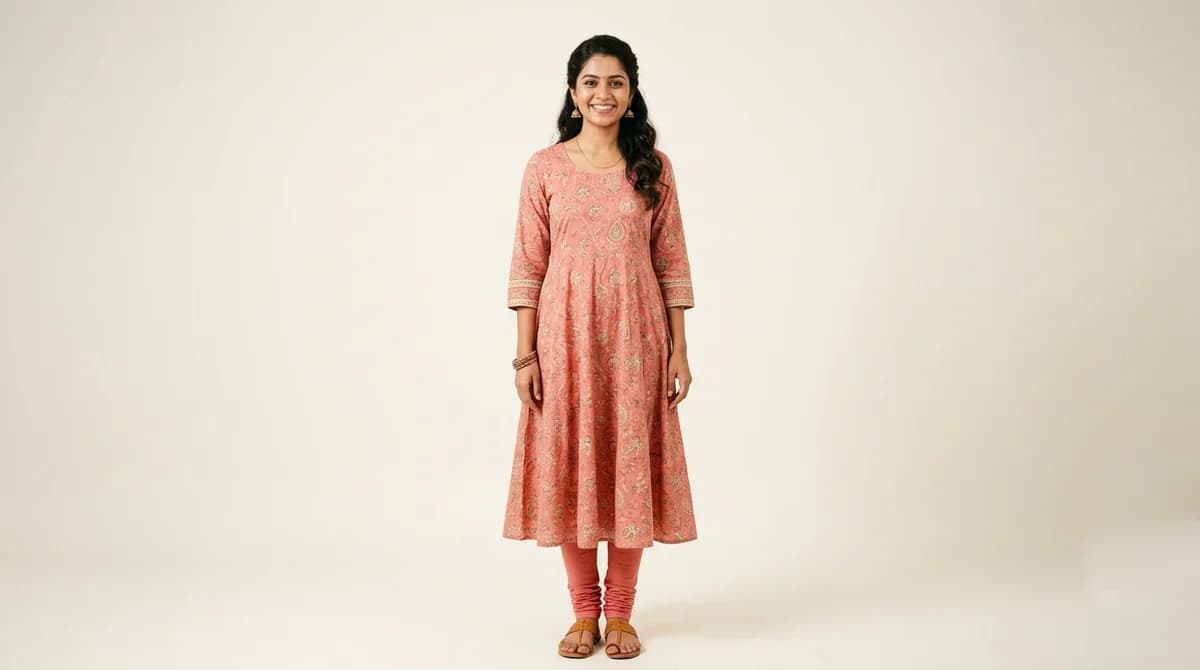
Flipkart Image Specifications
Dimensions
500x500px minimum (1000x1000px recommended for best quality)
Background
White background preferred; light grey acceptable
Max File Size
10 MB
Format
JPEG or PNG
Flipkart Listing Requirements
- Minimum 500x500px; Flipkart recommends 1000x1000px for zoom capability
- White or very light background is strongly recommended for approval speed
- No text overlays, watermarks, or competitor branding
- Product must be the clear focus of the image — no cluttered backgrounds
- First image must show the front of the product clearly
Tips for Flipkart Product Photography
Flipkart Fashion Search ranks listings with HD images (1000x1000+) above lower-resolution images
Include size chart as one of your additional images — it significantly reduces return rate
On-model images outperform flat-lay for apparel on Flipkart, particularly for ethnic wear
Flipkart allows up to 16 images — use at least 6 for maximum search visibility
What Flipkart Sellers Need to Know About Product Photography
Flipkart Fashion uses a two-tier image system that most sellers don't know about: listings with images at 1000x1000px or above are tagged as 'HD' internally and receive a ranking boost in Flipkart Fashion search results. This HD threshold is the single easiest way for small sellers to outrank larger competitors who upload lower-resolution images. Flipkart also allows up to 16 images per listing — the highest limit of any Indian marketplace — but the average seller uploads only 3-4. Filling even 6-8 slots with professional images (front, back, detail, lifestyle, size chart) creates a significant competitive advantage. For ethnic wear sellers on Flipkart, on-model images dramatically outperform flat-lays; Flipkart's own seller education material recommends model photography as the #1 upgrade for apparel conversion. The platform's buyer base spans Tier 1 through Tier 3 cities, so your images need to communicate quality and fit clearly to first-time online shoppers who cannot touch or try the garment.
How ShotRoom Creates Flipkart-Ready Photos
- 1
Upload your garment photo to ShotRoom
Upload a photo of your garment. ShotRoom supports all Indian apparel types from basic tees to complex lehengas.
- 2
Select white background and preferred model
Choose a white background and a model from ShotRoom's library to create Flipkart-ready images immediately.
- 3
Generate HD images at 1000x1000px
ShotRoom outputs images at 1000x1000px minimum, meeting Flipkart's HD image threshold for better search ranking.
- 4
Download and list on Flipkart Seller Hub
Export and upload to Flipkart Seller Hub. Multiple images from ShotRoom let you fill all recommended image slots in one session.
Frequently Asked Questions
What is the minimum image size for Flipkart product listings?
Flipkart requires a minimum image size of 500x500 pixels, but strongly recommends 1000x1000 pixels or larger. Images that meet the HD threshold (1000x1000+) are prioritised in Flipkart Fashion search results over lower-resolution images.
How many photos can I upload per Flipkart listing?
Flipkart allows up to 16 images per product listing. For apparel, a recommended set includes: primary front model shot, back shot, side view, detail close-up, flat-lay, and size chart graphic — aiming for at least 6 images total.
What background is recommended for Flipkart apparel listings?
Flipkart recommends a white background for all product images. Light grey is also acceptable. Coloured, patterned, or lifestyle backgrounds are not recommended for primary listing images and may slow down the approval process.
Popular Garment Types on Flipkart
Ready to start selling on Flipkart?
Generate professional Flipkart-compliant product photos in minutes. No studio needed.
Get Started Free