AI Product Photography for Myntra
Meet Myntra image standards and get your listings approved faster
Start Your Free Shoot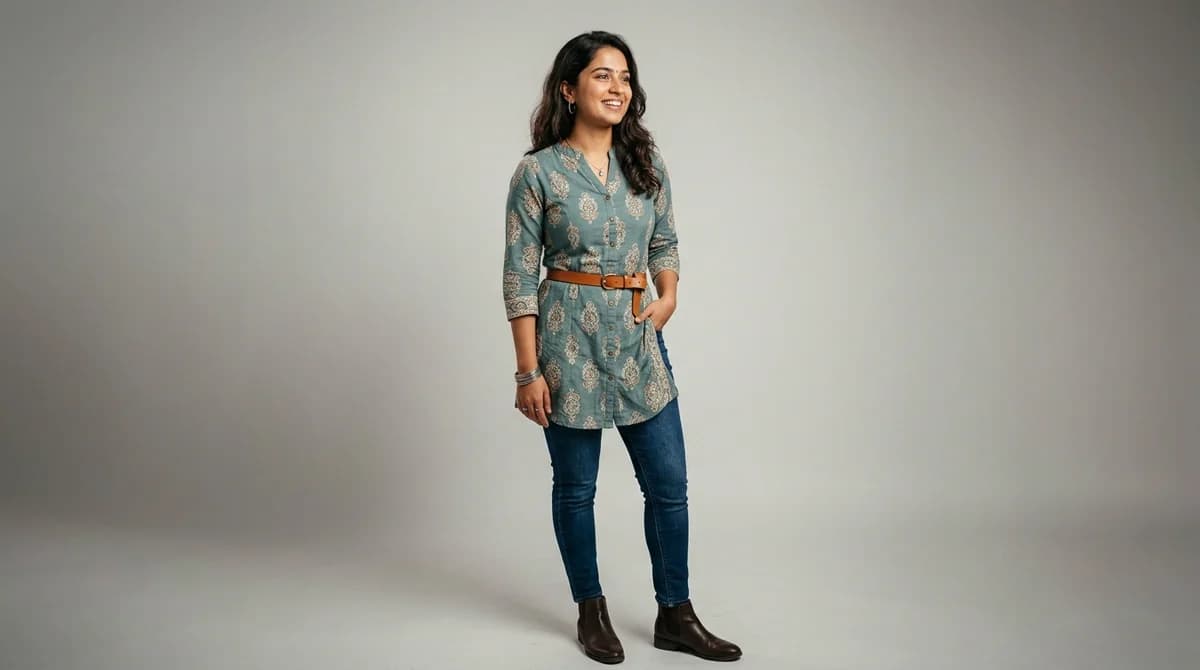
Myntra Image Specifications
Dimensions
1000x1200px minimum (portrait orientation preferred)
Background
White or light grey (#F5F5F5 or lighter)
Max File Size
5 MB
Format
JPEG or PNG (JPEG preferred for smaller file size)
Myntra Listing Requirements
- Minimum resolution: 1000x1200px — Myntra recommends 2000x2400px for crisp zoom-in
- Background must be white or very light grey — coloured backgrounds will be rejected
- Product must occupy at least 85% of the image frame
- No watermarks, logos, or text overlays on the product image
- Model images preferred for apparel — ghost/flat-lay accepted as secondary images
Tips for Myntra Product Photography
Upload the front-model view as your primary image — Myntra displays this in search results
Include at least 4 images per listing: front model, back model, detail close-up, and flat-lay
Keep garment colours true to product — misleading colour representation leads to high returns
Myntra's algorithm rewards listings with 6+ high-quality images with better search placement
What Myntra Sellers Need to Know About Product Photography
Myntra is India's most image-strict fashion marketplace. Listings are routinely rejected for off-white backgrounds, incorrect aspect ratios, or missing model shots. Unlike Flipkart or Meesho, Myntra's catalog team manually reviews a sample of new seller images during onboarding — making first-time approval critical. Sellers who pass the initial quality gate with 6+ professional images per listing report 2-3x faster catalog activation and significantly better search placement in the first 30 days. The platform's mobile-first audience scrolls fast, so your primary image has roughly 0.3 seconds to earn a tap — sharp on-model shots with clean white backgrounds consistently outperform every other format.
How ShotRoom Creates Myntra-Ready Photos
- 1
Upload your garment photo to ShotRoom
Take a simple photo of your garment on a hanger or flat surface and upload it to ShotRoom. Our AI analyses the fabric, colour, and style automatically.
- 2
Select model and background for Myntra compliance
Choose from ShotRoom's model library and select a white or light grey background to meet Myntra's background requirements automatically.
- 3
Generate your complete photoshoot
ShotRoom generates front model, back model, and detail close-up images — all sized at 2000x2400px to exceed Myntra's minimum requirements.
- 4
Download and upload to Myntra Seller Portal
Download your generated images in JPEG format optimised for Myntra's 5MB file size limit. Upload directly to your Myntra Seller Portal listing.
- 5
Review and list with confidence
Your images meet all Myntra image guidelines — correct dimensions, white background, and professional quality — so your listing gets approved faster.
Frequently Asked Questions
What image size does Myntra require for product listings?
Myntra requires a minimum image size of 1000x1200 pixels in portrait orientation. For best results and sharper zoom-in quality, upload images at 2000x2400 pixels. Images must be JPEG or PNG format with a maximum file size of 5MB.
Does Myntra allow coloured backgrounds in product photos?
No. Myntra requires white or light grey backgrounds (lighter than #F5F5F5) for all product images. Coloured, patterned, or lifestyle backgrounds are only permitted for certain banner images and are not accepted for standard product listings.
How many images can I upload per Myntra listing?
Myntra allows up to 8 images per product listing. The platform recommends at least 4: a front model shot, back model shot, detail close-up, and flat-lay. Listings with 6+ images typically see better search ranking and conversion rates.
Can I use flat-lay images on Myntra?
Yes, flat-lay images are accepted on Myntra but on-model images are strongly preferred for apparel. Your primary (first) image should always be an on-model front shot. Flat-lay and ghost images work well as secondary images to show garment construction details.
Ready to start selling on Myntra?
Generate professional Myntra-compliant product photos in minutes. No studio needed.
Get Started Free